Operator's Manual S 65 E - S 65 E C 117
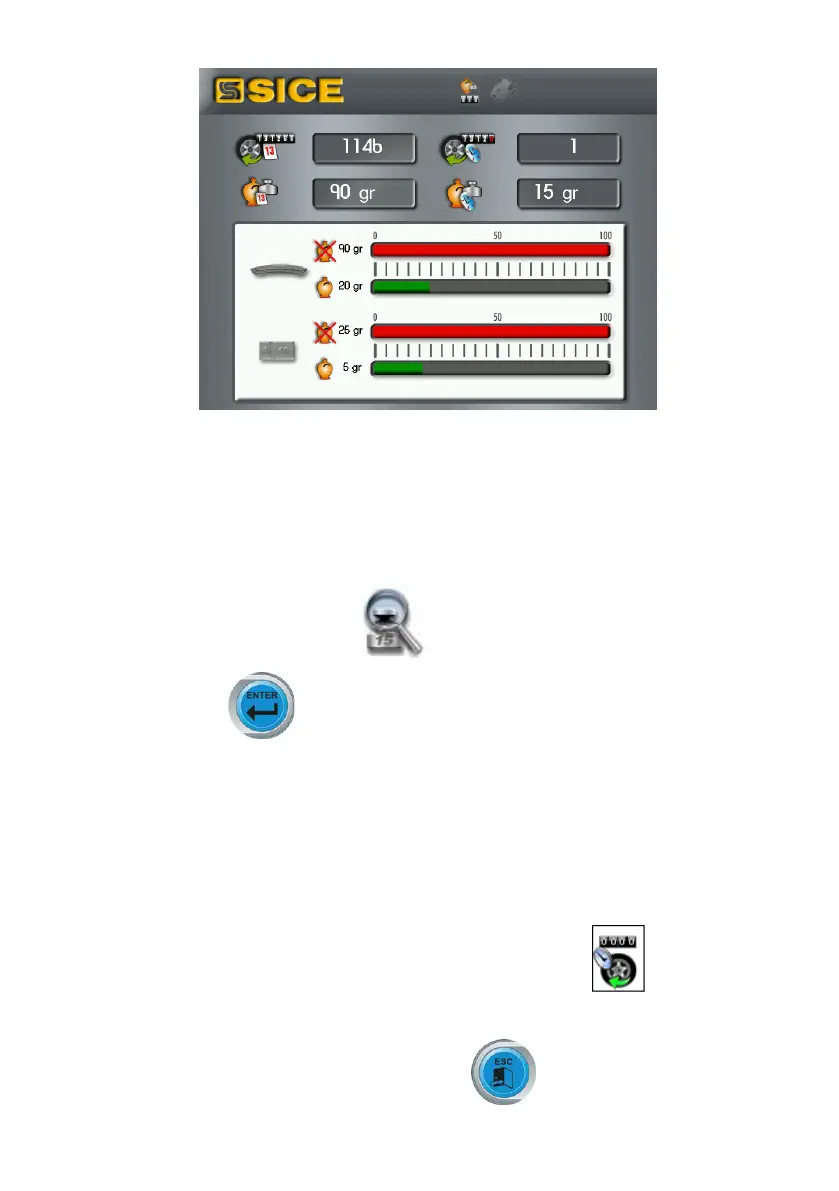
Note: the values shown by the counters are updated with each spin in relation to the
Weight Reduction programme selected.
The Reseticonallowsyoutozero-setthepartialcounters.
Highest accuracy function
This function allows the operator to check the balancing results on the screen with the
bestpossibleaccuracy(“Grx1”or“Oz1/10”).
- select the highest accuracy icon ;
- keep the Enter button pressed as long as desired.
Spin counter function
After the list of the utility programmes is displayed:
- select the spin counter icon.
A window where the values of three counters are shown is displayed:
- the first counter value is the overall number of wheel spins performed by the machine
since it was started up for the first time.
- the second counter value is the number of partial spins performed by the machine (it
is reset each time the machine is turned off or by selecting the icon);
- the third counter value is the number of wheel spins performed since the last sensitivity
calibration.
Press the Exit button not to display the counters .


 To Next Page