94 Operator's Manual S 65 E - S 65 E C
WHEEL DATA ENTRY
Wheel data entry for wheel balancers without an ultrasonic sen-
sor
The machine allows for the diameter and distance values to be entered automatically;
the width value can be entered using the keypad.
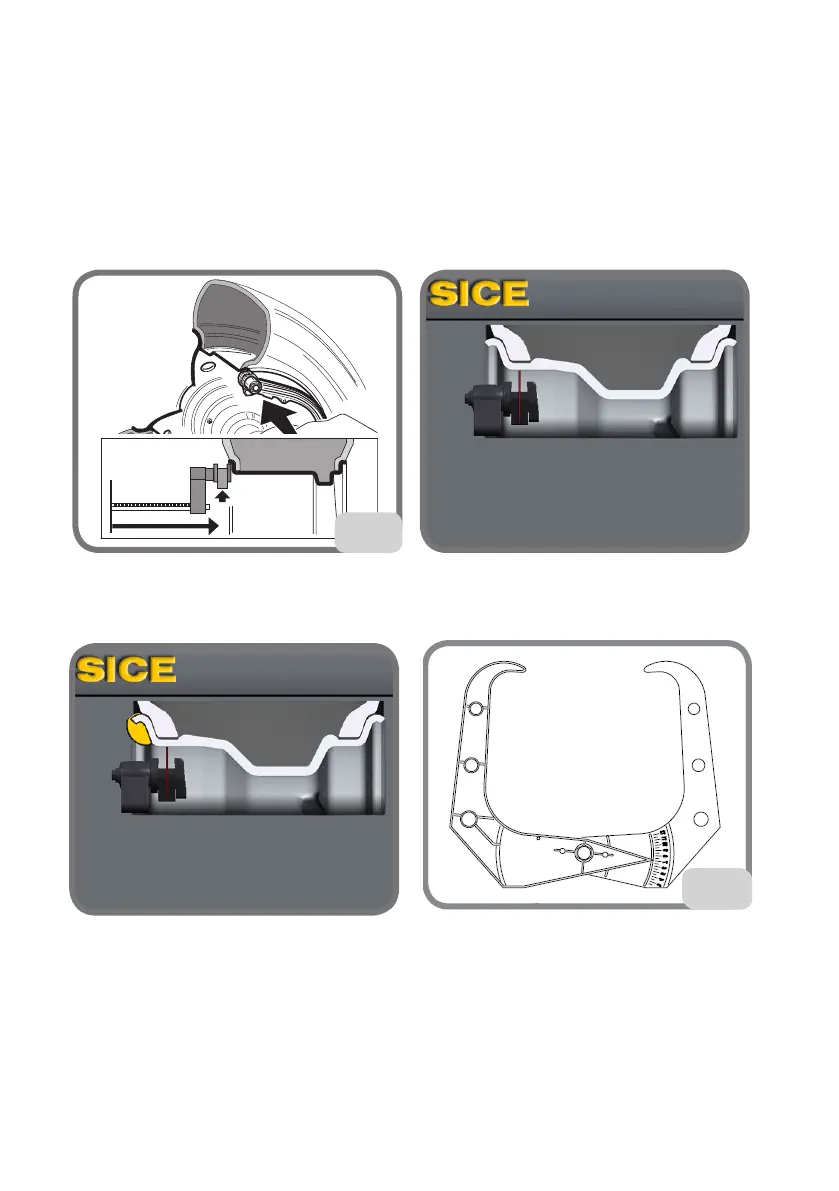
- Bring the automatic measuring arm into contact with the inner side of the rim (fig.15).
Take great care to position the arm correctly so as to ensure accurate data reading.
15
- Keep the arm in contact with the rim until the machine has acquired the wheel's diam-
eter and distance values. The following screen appears during this phase:
- if only one measurement is taken, the machine interprets the presence of a rim with
balancing using a clip weight on both sides (Dynamic Balancing Programme)
- moving the arm to the rest position, the machine will set up for the manual WIDTH
entry.
- in this phase, it is possible to perform an additional acquisition of the rim diameter
and distance.
- Measure the width of the rim using the provided calliper (fig. 16).
16


 To Next Page