Reading out UID with SIMATIC RF1070R
Article ID: 109780625, V1.0, 09/2020
2.4 Configuring the CM1241 RS232 communication
module
The SIMATIC RF1070R reader can be connected to a SIMATIC controller with the
help of the CM1241 RS232 communication module and P2P communication
("Send_P2P" and "Receive_P2P").
The communication parameters of the RS232 interface of the SIMATIC RF1070R
reader are set as follows in the factory:
• Transmission speed: 115.2 kbps
• Parity: None
• Data bits: 8
• Stop bits: 1
• Flow control: None.
When connecting the SIMATIC RF1070R reader via the CM1241 RS232, the
communication parameters of the CM must match the communication parameters
of the RF1070R reader.
In this application example, parameters are assigned for the basic interface
parameters of the CM1241 RS232 dynamically via the user program by calling the
point-to-point instruction "Port_Config".
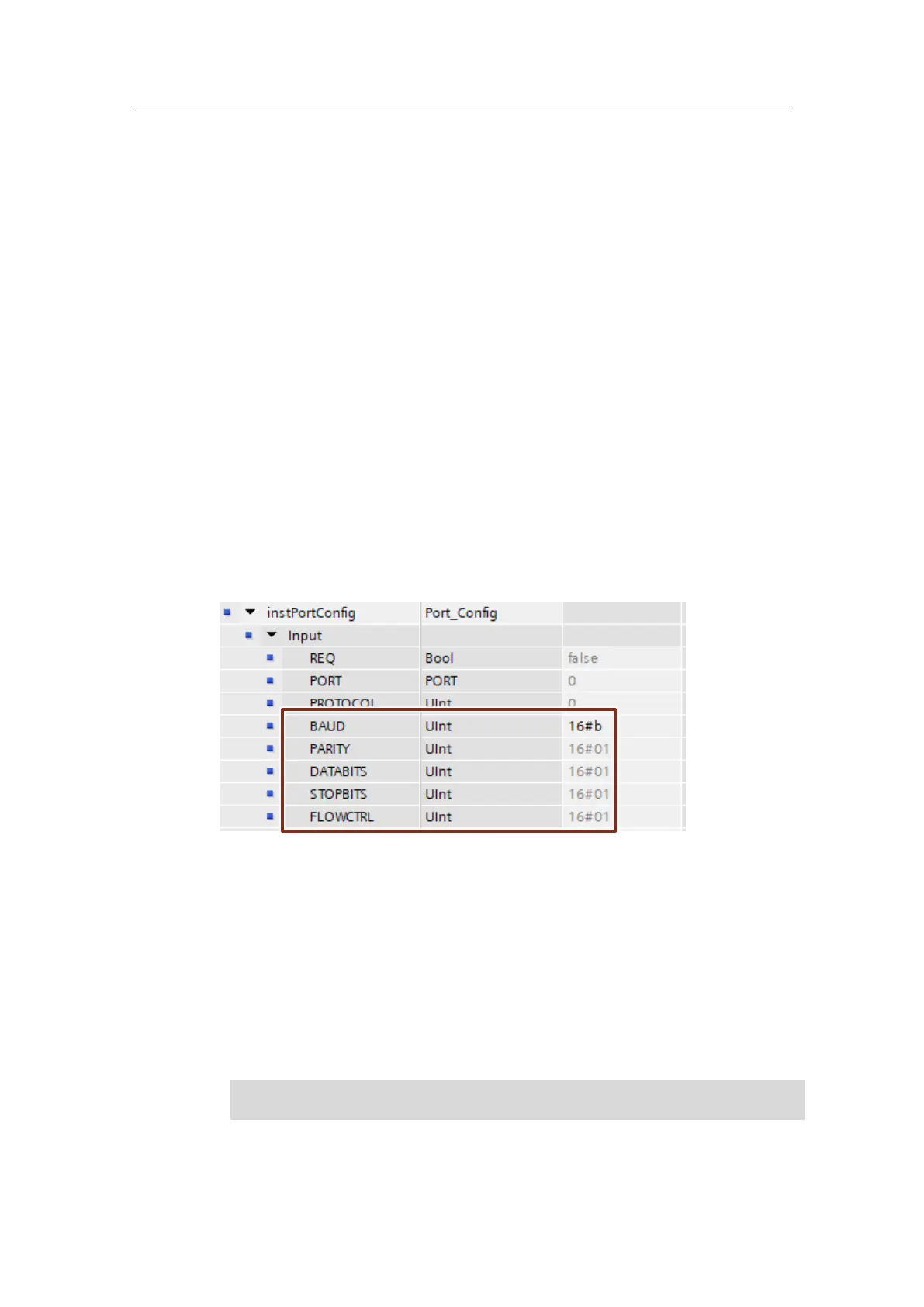
The following figure shows the parameterization of the basic interface parameters
of the CM1241 RS232:
Figure 2-6
• Transfer speed (BAUD)
16#b= 115.2 kbps
• Parity (PARITY):
16#01= none
• Data bits (DATABITS):
16#01= 8 data bits
• Stop bits (STOPBITS):
16#01= 1 stop bit
• Flow control (FLOWCTRL):
16#01= none.










 To Next Page