Reading out UID with SIMATIC RF1070R
Article ID: 109780625, V1.0, 09/2020
3.3 Loading the S7-1200 configuration
Proceed as follows to download the configuration:
1. Start TIA portal V16.
2. Open the project " RF1070R_CM1241_ReadUID.ap16".
3. Connect the Ethernet jack of the programming computer with the Ethernet jack
of the S7-1200 CPU.
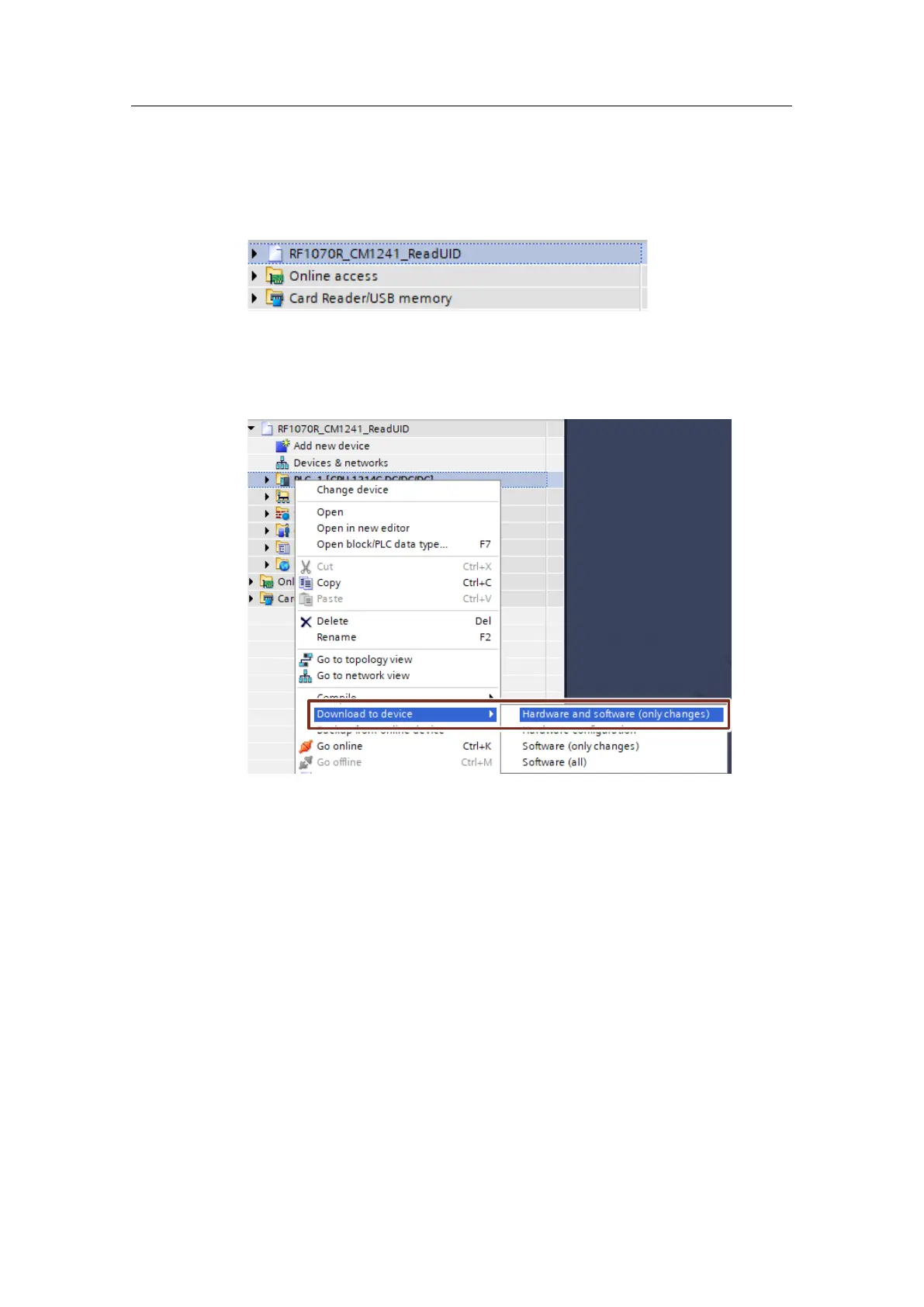
4. Load the configuration "PLC_1". To do this, right-click the device in the project
tree and select the menu "Download to device > Hardware and software (only
changes)".










 To Next Page