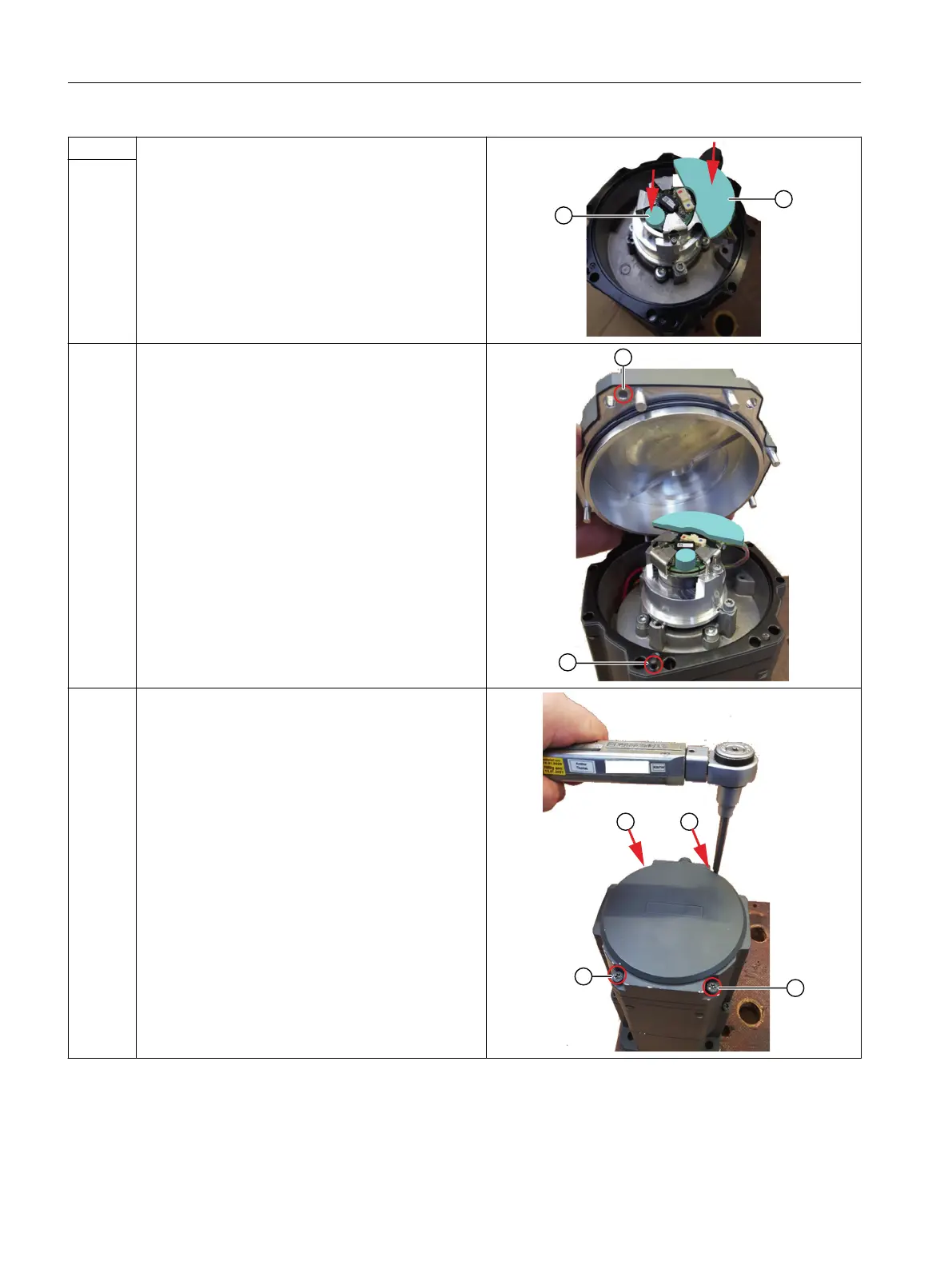
9 Install the new gap llers.
• Remove the foil from the adhesive surfaces of the
gap llers.
• Glue the small round gap ller ② onto the encoder
at the position shown.
• Glue the new large gap ller ① onto the electron‐
ics board at the position shown.
10
11 Attach the motor cover so that the hole in the cover ①
lines up with the pin in the motor enclosure ②.
Carefully ensure that the gap llers are at the correct
position and remain in this position.
12 Tighten the cover crosswise using the 4 M5 xing
screws with the maximum tightening torque 5 Nm.
❒
Description
2.4 Encoder replacement variants
Encoder replacement for SIMOTICS S-1FK2 and S-1FT2
46 Service Manual, 07/2022, A5E52211160B AA



 To Next Page