Connecting-up 06.2006
6SE7087-6KP50 Siemens AG
7-14 Operating Instructions SIMOVERT MASTERDRIVES
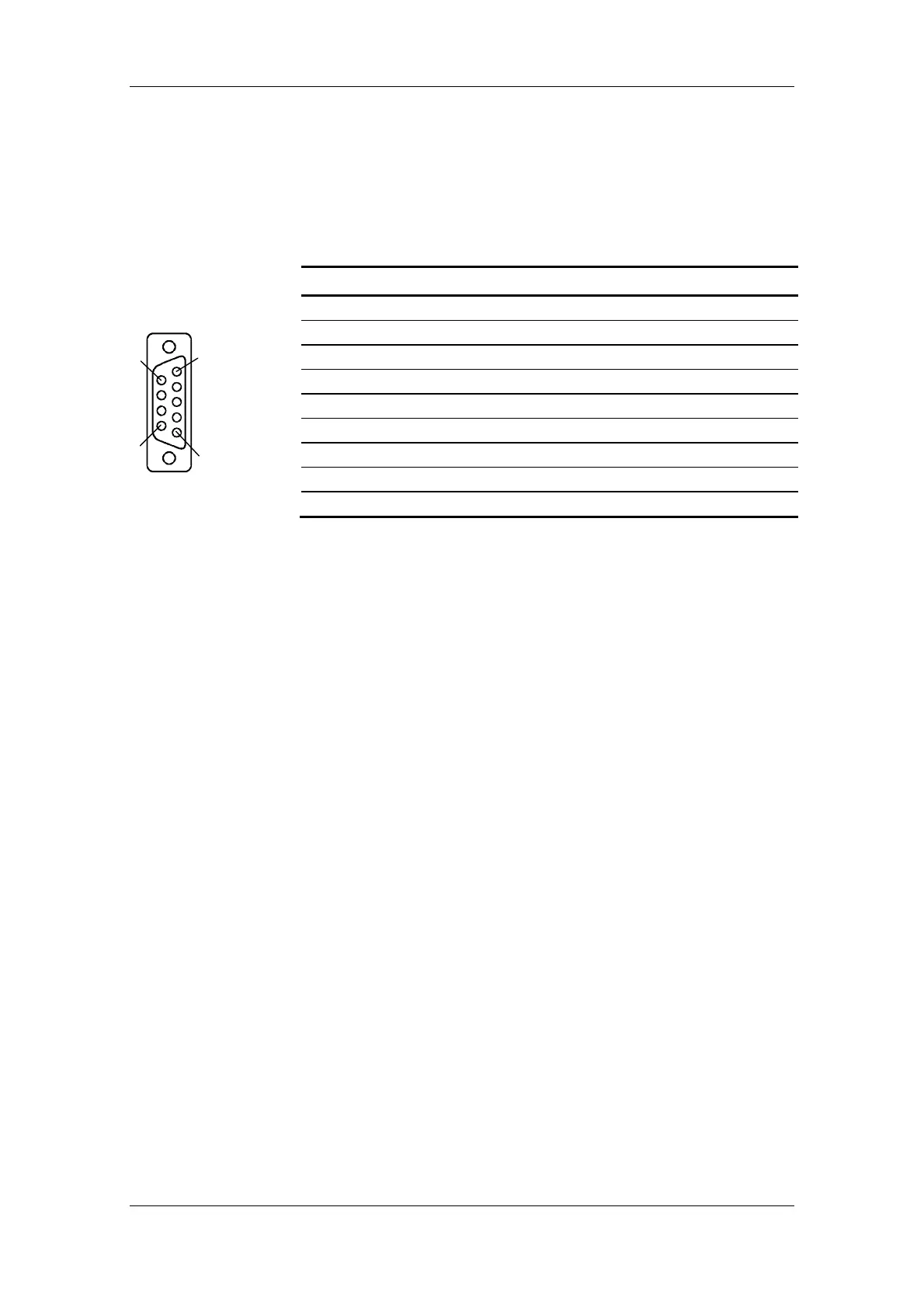
It is possible to connect either an OP1S or a PC with RS232 or RS485
serial interface via the 9-pole SUB D socket. There are different
connecting cables for the PC for the various transmission protocols.
The 9-pole SUB D socket is internally coupled with the USS bus, thus
enabling data exchange with other nodes linked via the USS bus.
This interface is also used for loading software.
Pin Designation Meaning Range
1 RS232 ID Changeover to RS232 protocol Low active
2 RS232 RxD Receive data via RS232 RS232
3 RS485 P Data via RS485 interface RS485
4 Boot Control signal for software update Low active
5 M5 AUX Reference potential to P5V 0 V
6 P5V 5 V aux. voltage supply +5 V, max. 200 mA
7 RS232 TxD Transmit data via RS232 RS232
8 RS485 N Data via RS485 interface RS485
9 M_RS232/485 Digital ground (choked)
Table 7-8 Serial interface
X103 - Serial
interface
1
5
6
9




 To Next Page