Installation
9229 0025 176 0E 49
2021-11-15
Earthing
If the SION
®
vacuum circuit-breaker is installed in an earthed metal framework and
is connected permanently and electrically conductive, no separate earthing is re-
quired.
Place serrated washers under the screw heads when fixing the vacuum circuit-
breaker in this case.
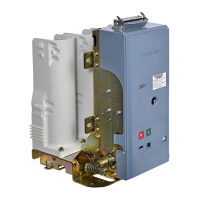
Connecting to earth Connect the vacuum circuit-breaker on the earthing terminal (70) to the high-voltage
protective earth as specified by the standard (DIN EN 50341).
• Select the cross-section of the earthing conductor so that a current of 30 A, with
a maximum voltage drop of 3 V, can be conducted to the provided earthing point
(see IEC 62271-200).
• Remove hexagonal bolt M12 with washers from the supplementary equipment
or, if mounted, completely unscrew from the earthing terminal.
• Observe the order of the fixing elements: Place the washer, ring-main cable of
earthing conductor and contact washer (SN 70093) with the teeth facing the
operating mechanism housing under the bolt head.
• Fix M12 hexagonal bolt with the fixing elements to the earthing terminal (70)
with 105 Nm.
Fig. 69 Connecting the earthing conductor to the op-
erating mechanism housing – example with a
plastic cover
Fig. 70 Connecting the earthing conductor to the side
of the operating mechanism housing – exam-
ple with a metal cover




 To Next Page