Configuration
14
Siemens Building Technologies SISTORE AX4_EN.doc
Fire & Security Products 09.2004
3 Configuration
NOTE:
Your DVR should be completely installed before proceeding. Refer to paragraph 2
3.1 Front Panel Controls
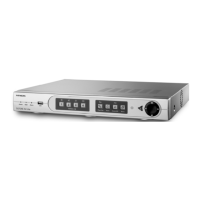
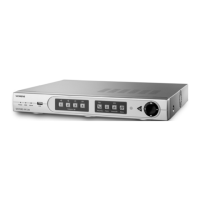
Fig. 18 DVR front panel.
Many of the buttons on the front panel have multiple functions. The following
describes each button and control. Take a few minutes to review the descriptions.
You will use these to initially set up your DVR and for daily operations.
NOTE:
A separate Alarm button is not provided. Pressing any keys on the front panel resets alarm output
including the internal buzzer when the alarm is activated. However, when you are in the menu or PTZ
mode, you have to exit the menu or PTZ mode first to reset alarm output.
3.1.1 Power LED
The Power LED is lit when the DVR is On.
3.1.2 Network LED
The Network LED is lit when the unit is connected with RAS (Remote
Administration System) either via Ethernet or modem.
3.1.3 Backup LED
The Backup LED is lit when data is being backed up using the USB port.
3.1.4 Camera Buttons (1 to 4)
Pressing the individual camera buttons will cause the selected camera to display
full screen. They are used to enter passwords. The camera buttons also function
in the PTZ mode. Pressing CAMERA 1 zooms in in the PTZ mode, and pressing
CAMERA 2 zooms out in the PTZ mode. CAMERA 3 is used to control near focus of
the PTZ camera in the PTZ mode. CAMERA 4 is used to control far focus of the PTZ
camera in the PTZ mode.



 To Next Page
 Loading...