Mounting / Installing / Connecting
4.8 Connecting the communication cable
VersiCharge AC Wallbox IEC
34 Operating Instructions, 03/2021, A5E50366109-AA
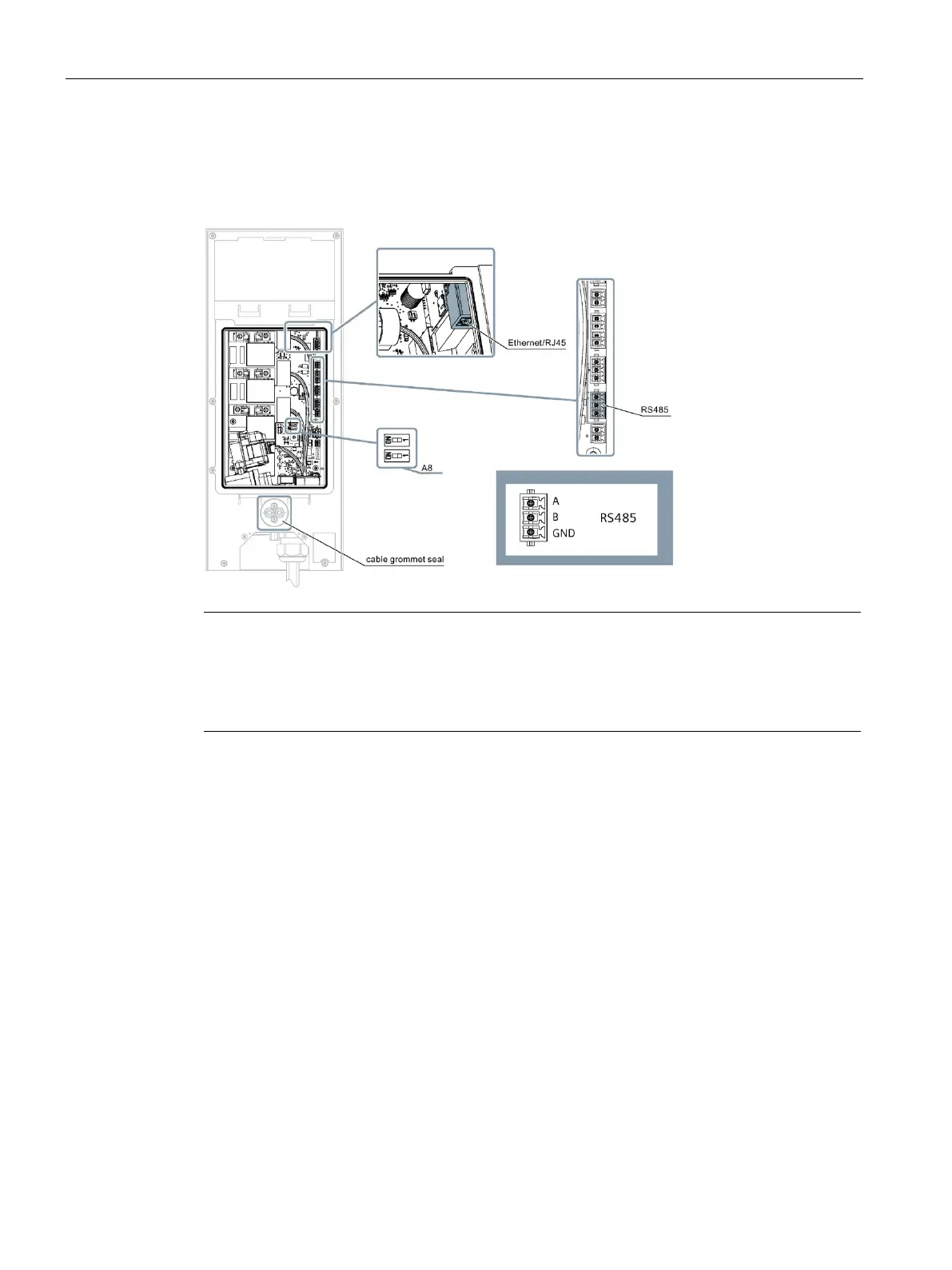
Connection plugs and DIP switches
The following figure shows the connection plugs and DIP switches for the communication
cables.
Note
DIP switch settings on device for Modbus RTU setup
A8 is the connection resistance switch for the Modbus RTU protocol. Set this switch to both
ends
of the bus connection to ON.
On all devices in between, set this switch to OFF.
Additional information
You can find additional information on the topic of communication here (Page 41).




 To Next Page