116
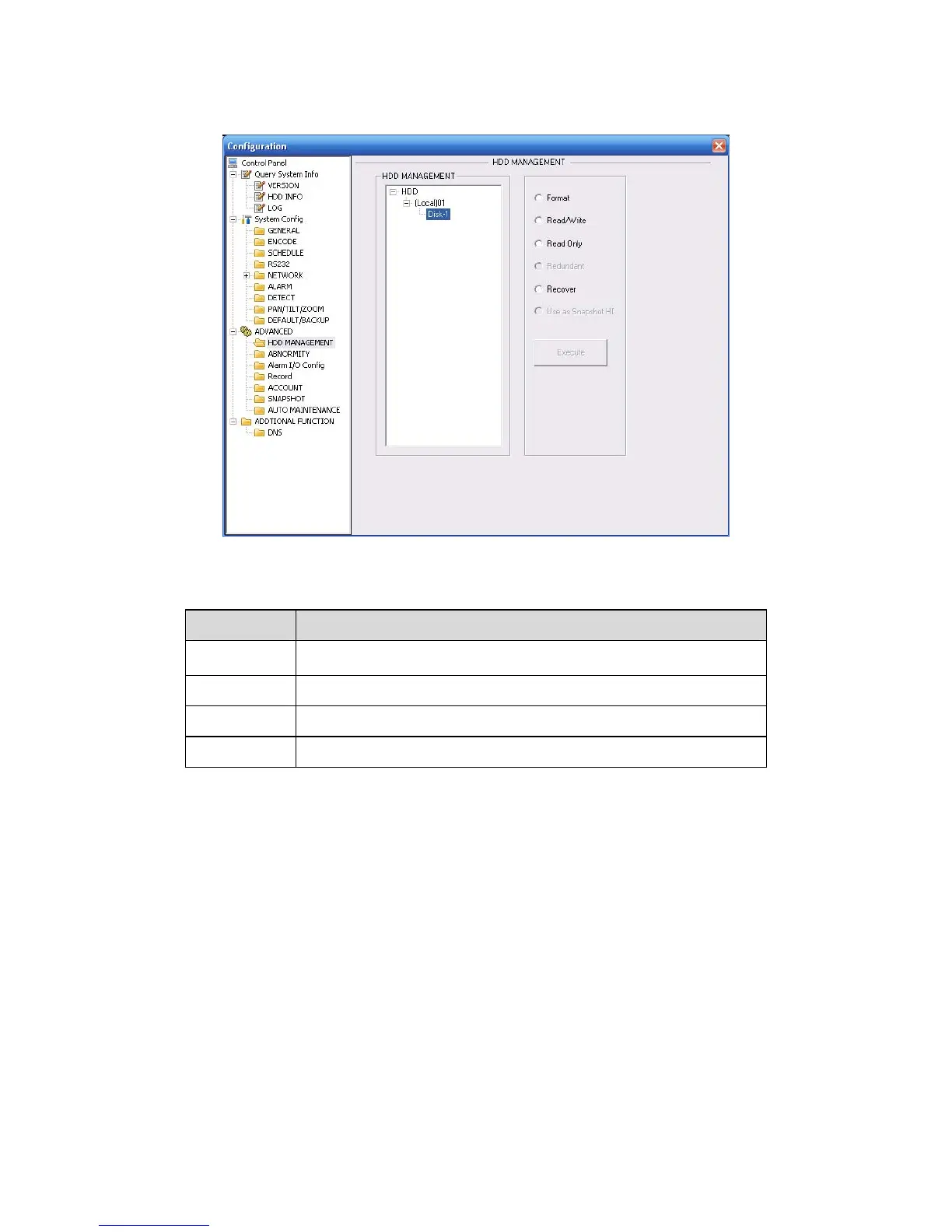
Please select the storage device first and then you can see the items on your right become valid.
You can check the corresponding item here. See
X472H472H472HFigure 7-44X.
Figure 7-44
Please refer to the following sheet for detailed information.
Parameter Function
Format Clear data in the disk.
Read/write Set current SD card as read/write
Read only Set current card as read.
Recover Recover dada after error occurs.
Please note system needs to reboot to activate current setup.
7.3.3.2 Alarm I/O
Here you can search alarm output status. See X473H473H473HFigure 7-45X.



 To Next Page