128
Please refer to the following sheet for detailed information.
Please make sure current device can upload the alarm.
Type Parameter Function
Alarm
Type
Video loss System alarms when video loss occurs.
Motion detection System alarms when motion detection alarm
occurs,
Disk full System alarms when disk is full.
Disk error System alarms when disk error occurs.
Camera
masking
System alarms when camera is viciously masking.
Encode alarm System alarms when peripheral device alarms.
External alarm Alarm input device sends out alarm.
Operation
Listen alarm System notifies web when alarm occurs (you select
from the above event type), and then web can
notify user.
Video When alarm occurs, system auto enables video
monitor. This function only applies to video
detection alarm (motion detection, video loss and
camera masking).
Prompt Automatically pops up alarm dialogue box.
Sound pop up System sends out alarm sound when alarm occurs.
You can specify as you wish.
Path Here you can specify alarm sound file.
7.6 About
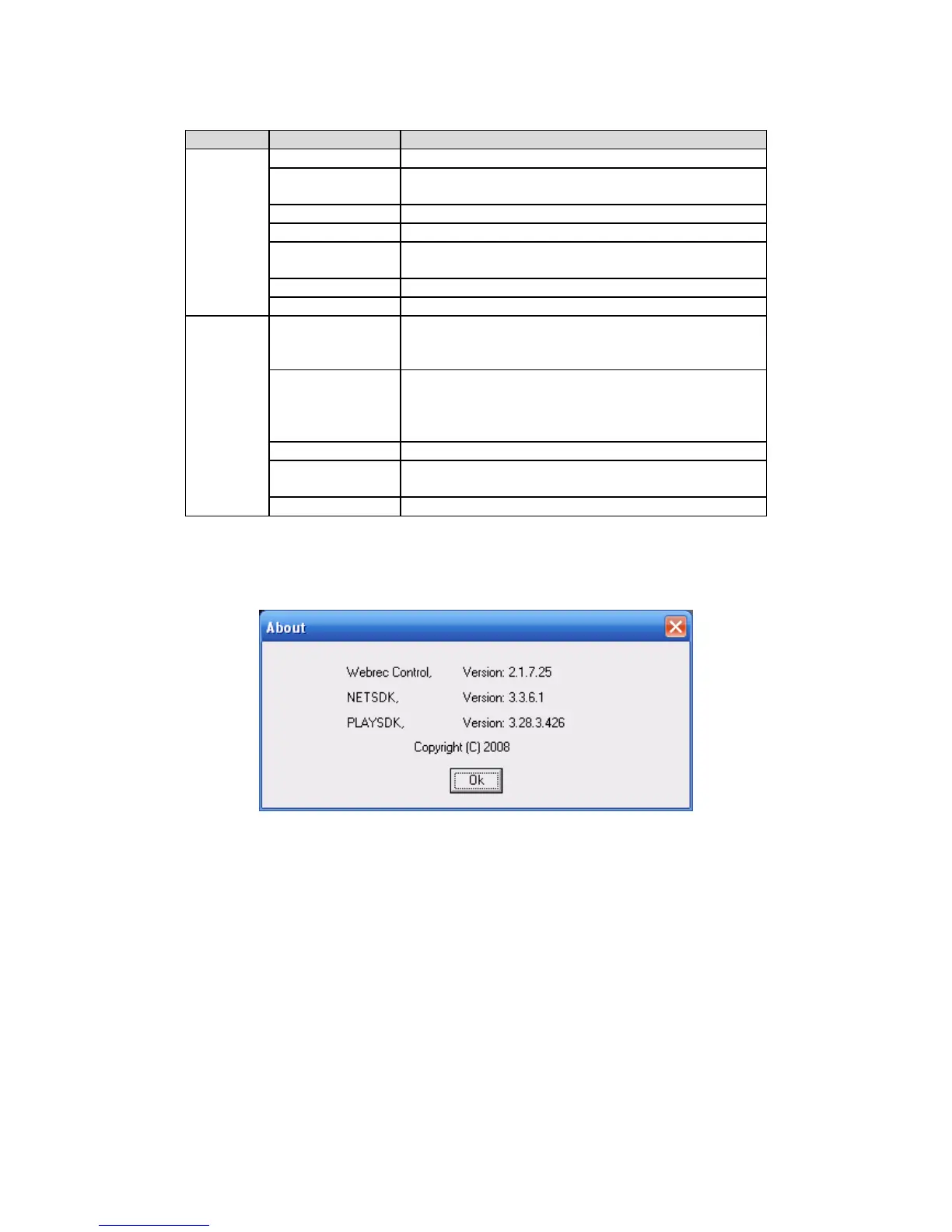
Click about button, you can view current web client information. See Figure 7-60.
Figure 7-60
7.7 Log out
Click log out button, system goes back to log in interface. See Figure 7-61.
You need to input user name and password to login again.



 To Next Page