15
PC Interface
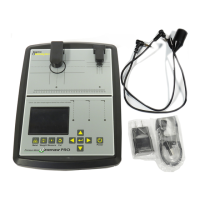
The PMV PRO is capable of using a Windows PC (Windows 7, 8, 10, and 11) as an interface for the
sigmametalytics.com/pro-pc) and following the included download and installation instructions.
Once the program is successfully downloaded and installed, plug the PRO device into your PC using the
included USB cable.
To install the PRO PC interface:
1.
3. Your computer might show a warning that the .MSI was stopped from running because it might be
dangerous. Click “Learn More” and then “Run Anyway” to install the program.
4. The program will install to the C: drive by default, but you may select a custom folder.
5.
“PMV PRO.”
6. Connect your PRO to your computer using the included USB cable. Power on your device and run the
PMV PRO program to get started.
7. While using the PRO with the PC interface, the readings will display on both the device’s display and
the PC application.


 To Next Page