7
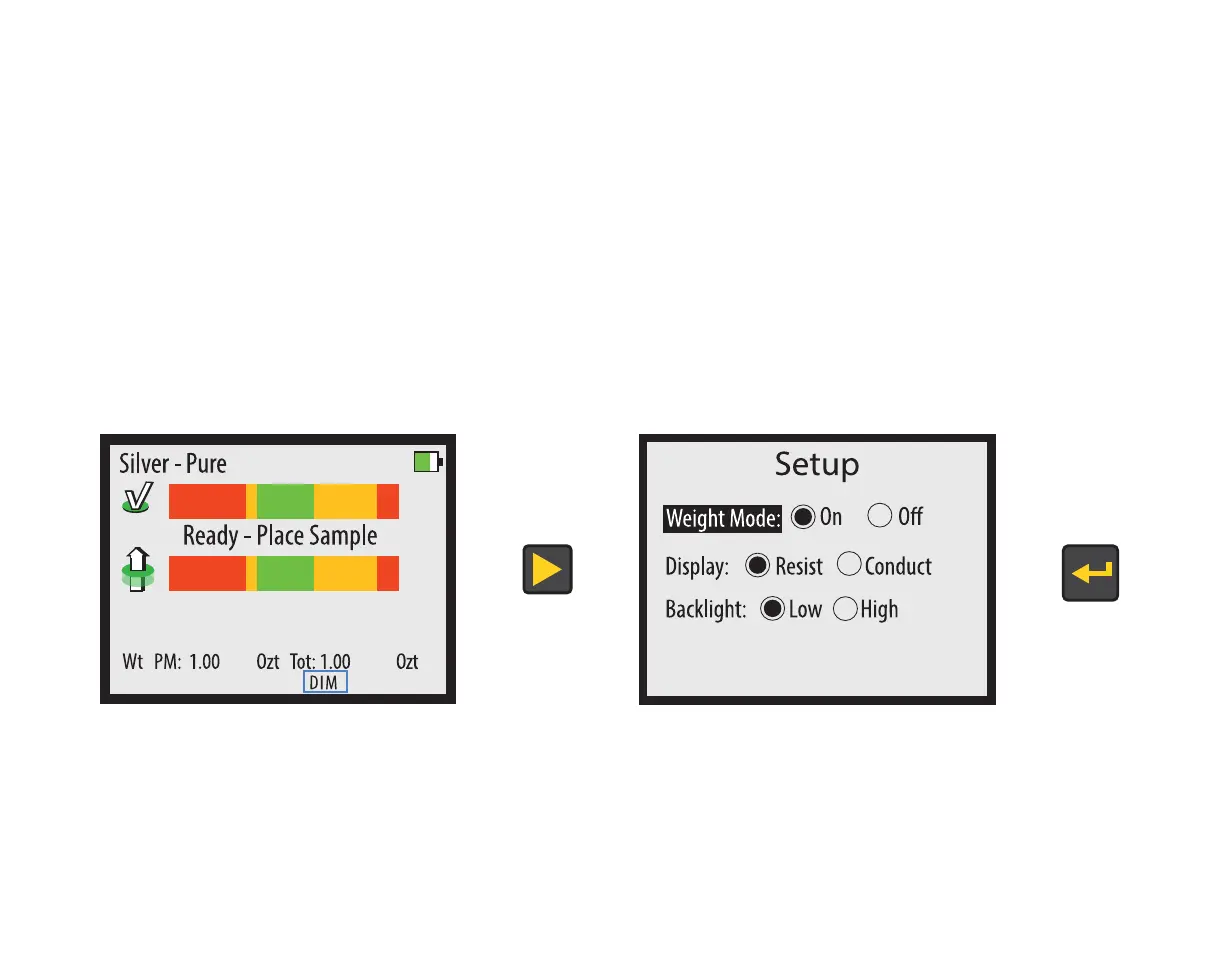
Setup
You may change some settings in the SETUP screen. To access the SETUP screen, press the RIGHT
button on the READY screen. Use the UP and DOWN buttons to select the category, and use the RIGHT
and LEFT buttons to change the selection within a category. Press the ENTER button when done to exit
the SETUP screen.
Note: You do not need to setup the device each time you use it, the settings are saved between uses.


 To Next Page