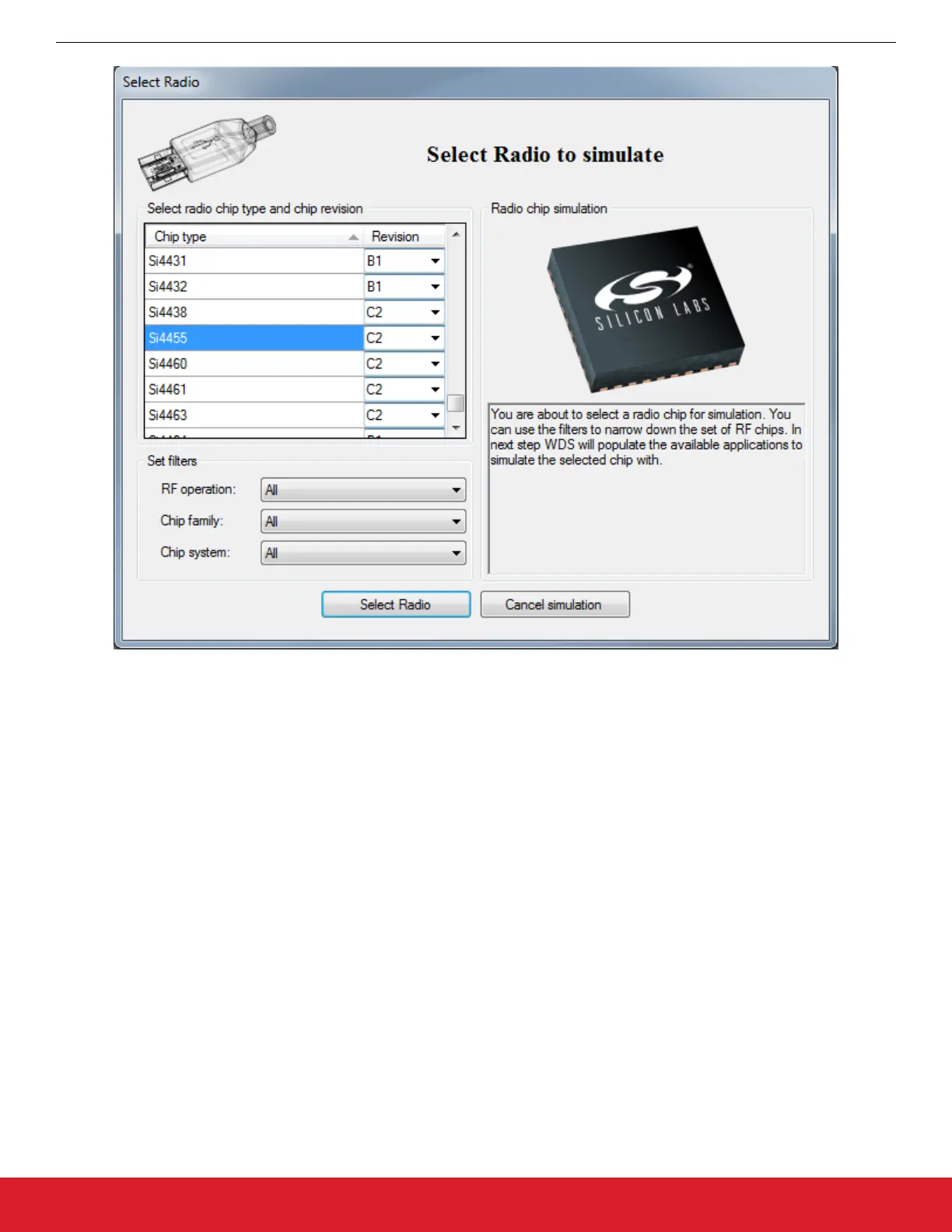
Figure 2.4. WDS Device Selection
Once the Radio is selected, the radio configurations screen will appear. This is the main page used to generate a configuration file that
can be used in a custom project. Preset configurations like Standard Packet TX and Unmodulated Carrier are available to quickly set up
a radio project. The Empty Framework project can be used as a blank template. Once the configurations are set, the [Generate
Source] button can be used to create the header file.
Note: WDS does not support EFM8 products. There are options to generate an entire project with MCU source code, however these
projects and code will most likely not work on EFM8 MCUs. When working with EFM8 and EZRadio/PRO, WDS is only used to gener-
ate the header file.
AN954: Programming Guide for EFM8 and EZRadio ®
Software
silabs.com | Smart. Connected. Energy-friendly. Rev. 0.1 | 8




 To Next Page