Silver Peak Hardware Reference Guide
Copyright © September 2018 by Silver Peak Systems, Inc. All rights reserved
158
Network interfaces
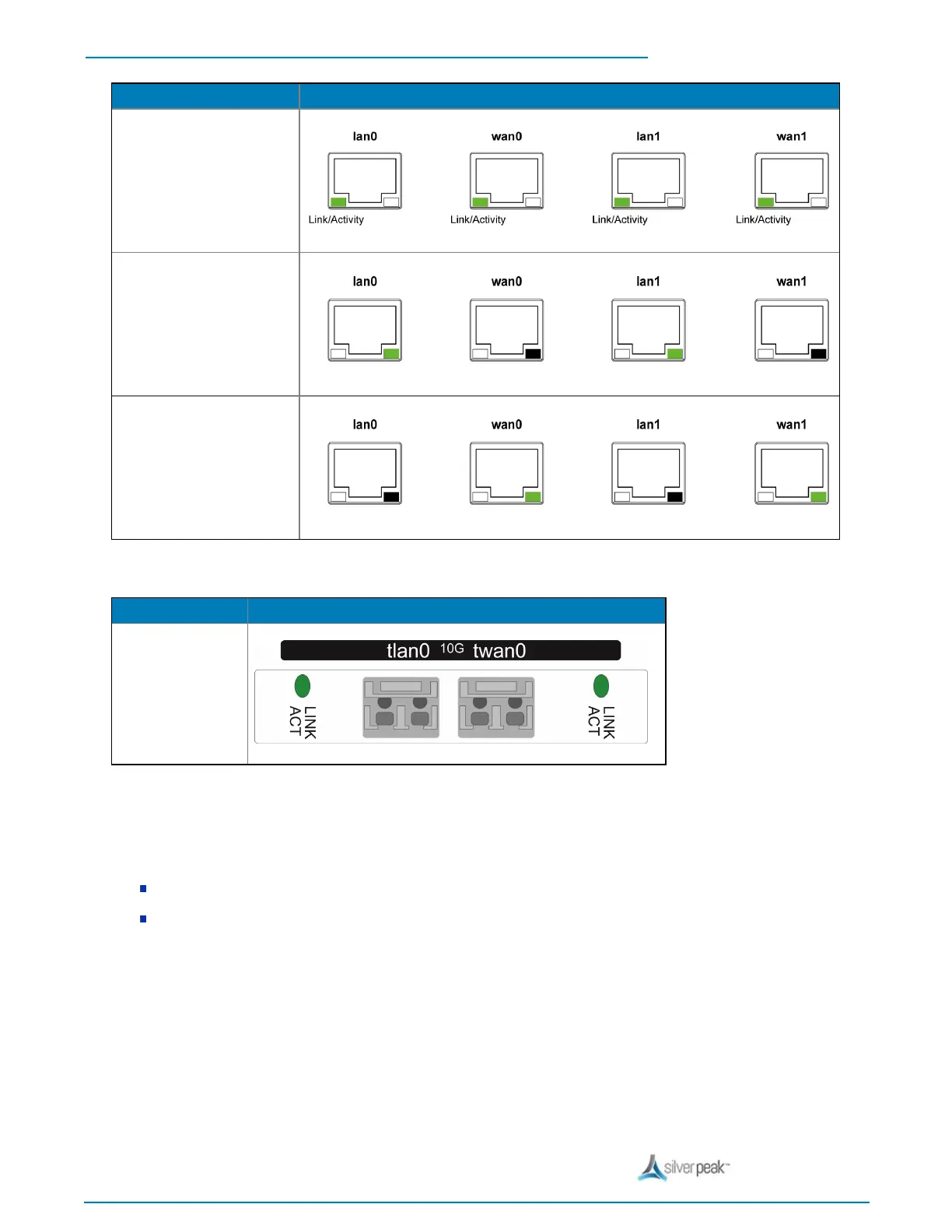
Link/Activity:
l solid green = link good
l blinking green = traffic
system bypass mode
l Ports 0 + 2 – solid green
l Ports 1 + 3 – OFF
slave ports
not in system bypass
l Ports 0 + 2 – OFF
l Ports 1 + 3 – solid green
tlan0 / twan0 — 10 Gbps fiber interfaces
All LEDs are green
Link = solid
Activity = blinking
You have the option to separately order LR (Long Reach) 10 Gbps fiber transceivers to replace the default SR
(Short Reach) transceivers in this appliance.
These transceivers are hot-swappable.
You can distinguish the SR transceiver from the LR transceiver by the number on the label and the color of
the handle. For details, see Installing a Fiber Interface Transceiver.


 To Next Page
 Loading...