Silver Peak Hardware Reference Guide
Copyright © September 2018 by Silver Peak Systems, Inc. All rights reserved
26
Power Supply Instruction Set B
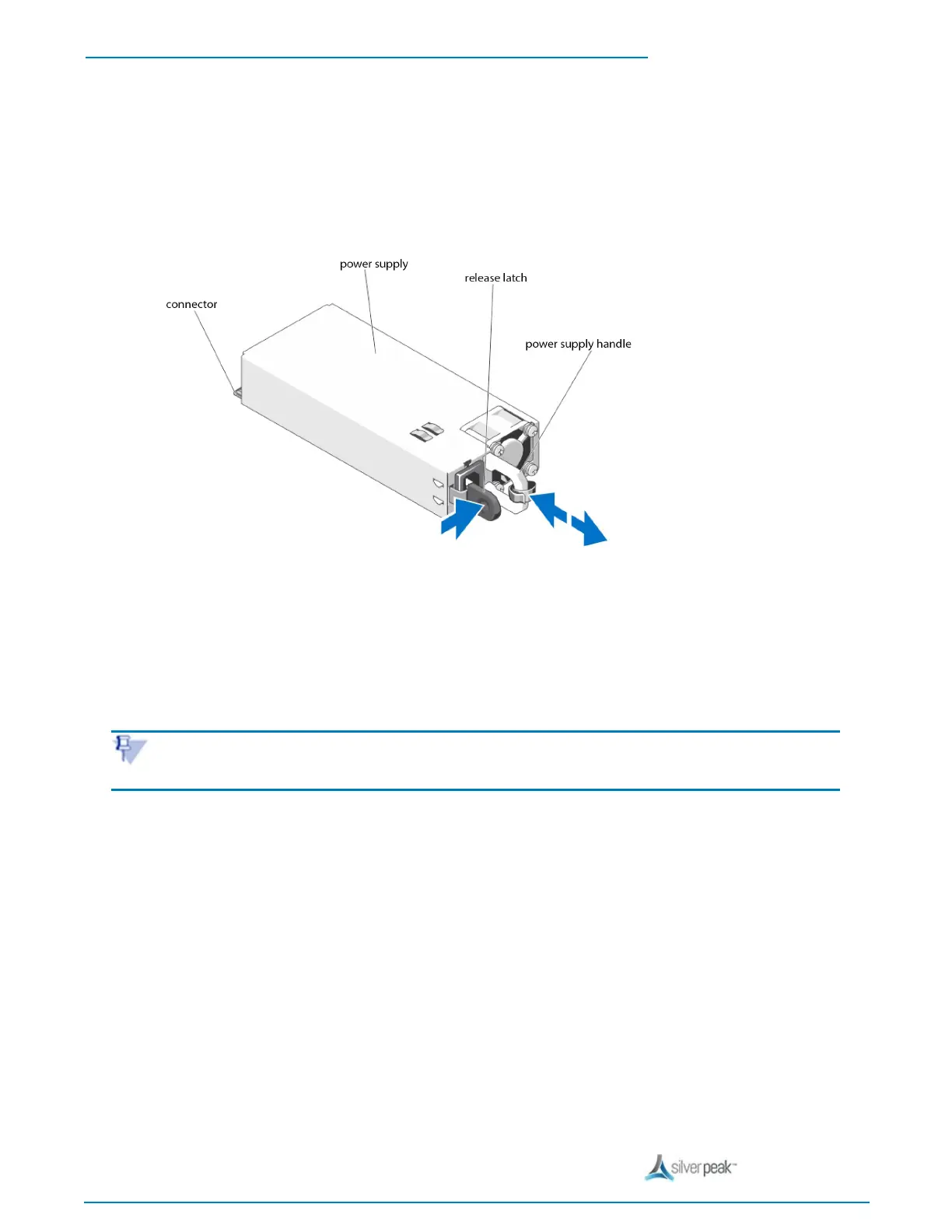
To replace the power supply
1. Disconnect the power cable from the power source and the power supply you intend to remove.
2. Press the release latch and slide the power supply out of the chassis.
3. Slide the new power supply into the chassis until the power supply is fully seated and the release latch
snaps into place.
4. Connect the power cable to the power supply and plug the cable into a power outlet.
NOTE When hot-swapping a new power supply, allow several seconds for the system to recognize the power supply
and determine its status. The power-supply status indicator turns green to signify that the power supply is functioning
properly.
Power Indicator Codes - Set B
Each power supply has an illuminated translucent handle that serves as an indicator to show whether power is
present or whether a power fault has occurred.


 To Next Page