Silver Peak Hardware Reference Guide
Copyright © September 2018 by Silver Peak Systems, Inc. All rights reserved
16
Disk Instruction Set B
These appliance drives are hot-swappable.
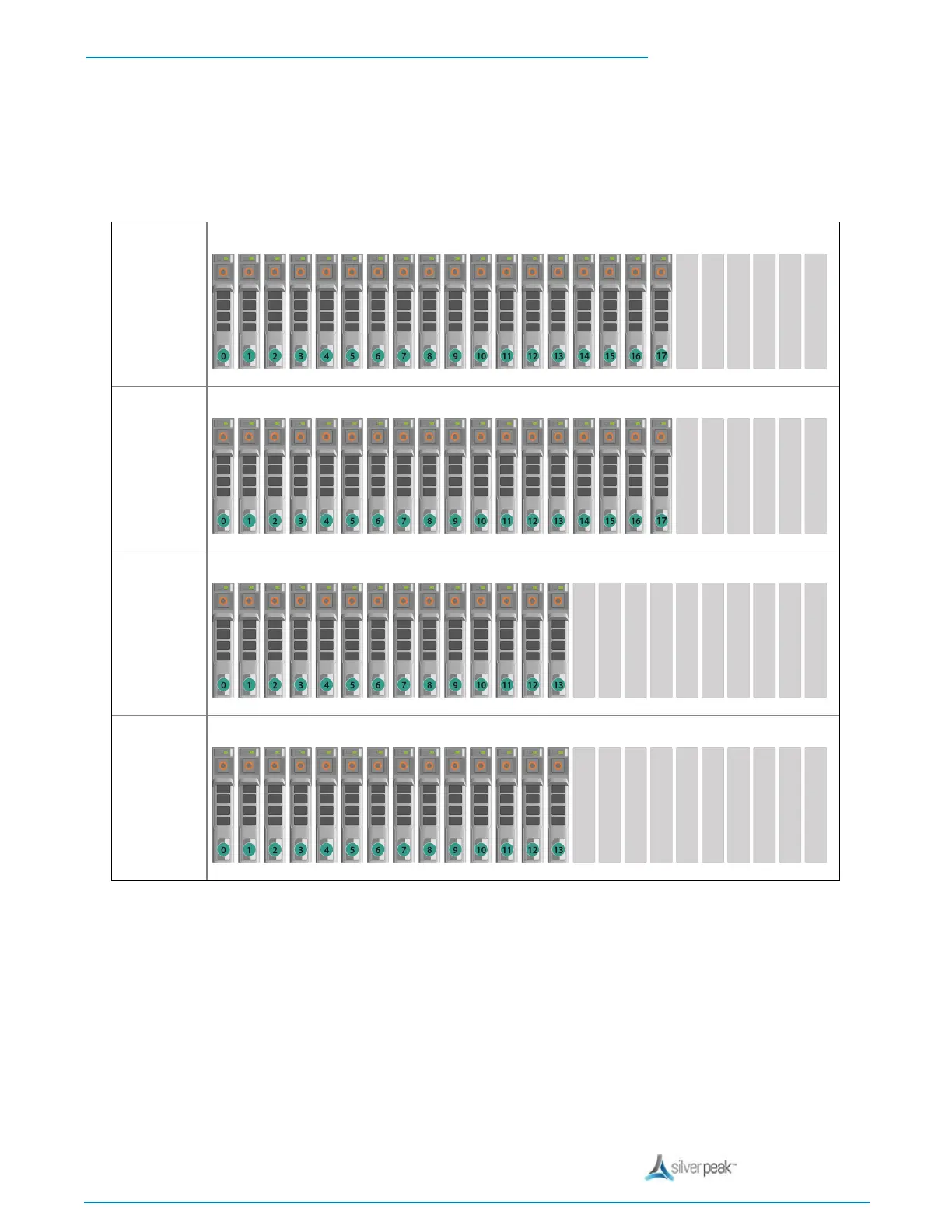
The first disk on the left is Disk 0. The numbers increment by one from left to right.
NX-11700
[PN 200711]
18 SSD
NX-10700
[PN 200769]
18 SSD
NX-9700
[PN 200768]
14 SSD
NX-8700
[PN 200767]
14 SSD
To take the disk off-line
1. Go to the Maintenance - Disk Management page, select the disk, and click Remove.
If the SSD is online, the green activity/fault indicator flashes as the drive is turned off.
When the SSD indicators are off, the SSD is ready for removal.


 To Next Page