Installation
8
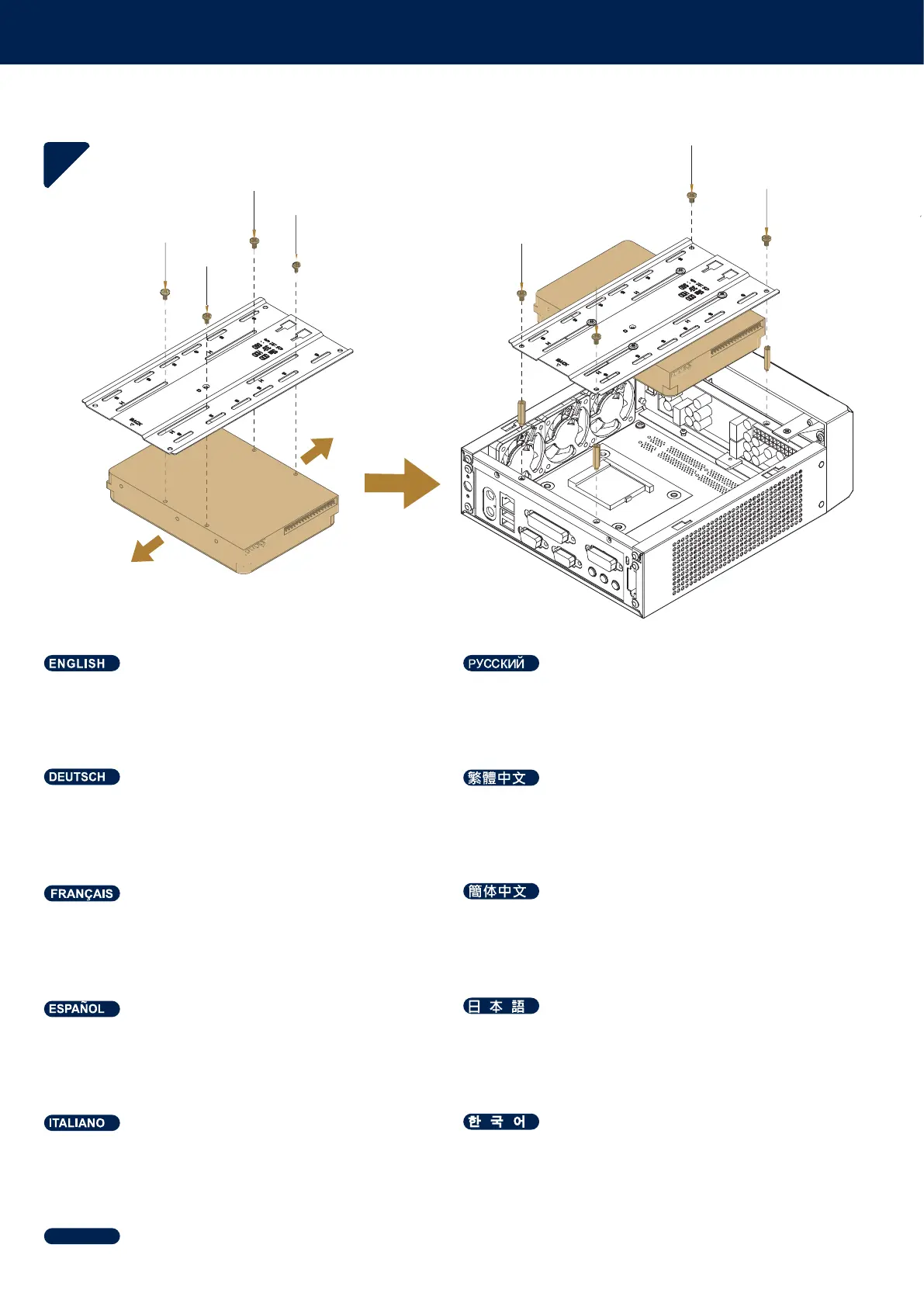
Mount the 3.5" HDD to the bracket > secure standoffs >
secure bracket to the standoffs
Установите 3,5" HDD на кронштейн > закрепите винты >
закрепите кронштейн с винтами
3,5-Zoll-Festplatte an Halterung befestigen > Abstandhalter
sichern > Halterung an den Abstandhaltern sichern
安裝3.5" HDD 於支架上 > 固定螺柱 > 支架鎖在螺柱上
Monte el 3,5" HDD en el bracket > fije soportes > fije el
bracket a los soportes
3.5"HDDをブラケットに取り付け>スタンドオフを固定>ブラ
ケットをスタンドオフに固定
Montez le 3,5" disque dur sur le support > fixez les
entretoises > fixez le support sur les entretoises
ᅝ㺙+''ѢᬃᶊϞ!ᅮ㶎!ᬃᶊ䫕㶎Ϟ
Montare 3,5" l'HDD sulla staffa > fissare i supporti > fissare
la staffa sui supporti
挒岂琙櫖͵͵昪獞枪痦姢欪稊処洛枪痦姢欪稊櫖
挒岂琙処洛
ยึด 3.5" HDD เข้ากับที่รองยึด > ยึดตัวรองรับ >
ยึดที่รองยึดเข้ากับตัวรองรับ
ไทย



 To Next Page