101
ENG
5.4.5 DMX/PWM converter
Type: RGB
General Mode
Advanced Mode
Resulting colour
Configuration
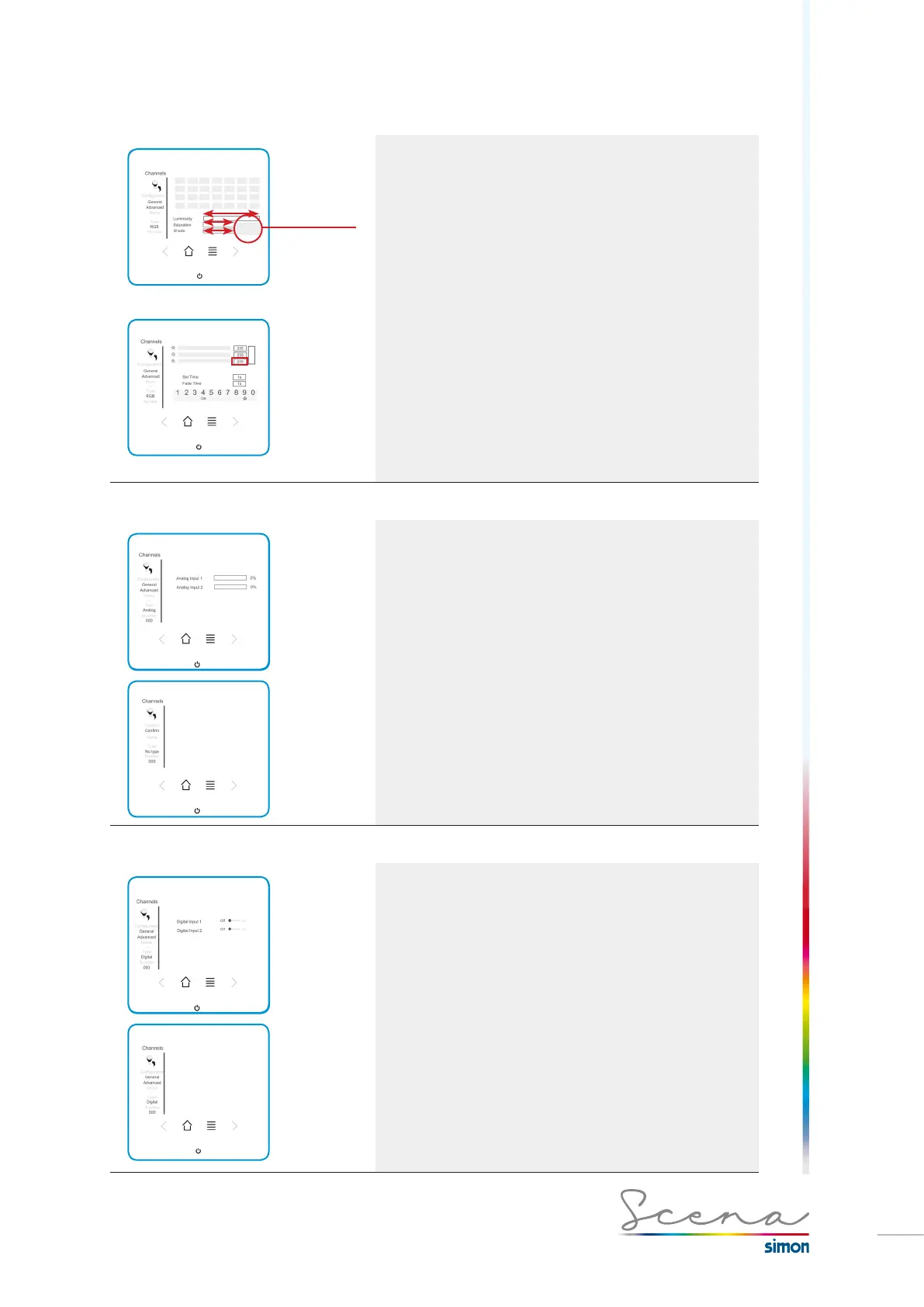
RGB strips can be configured by means of the “General” or
“Advanced” screens. In General mode we can modify the
colour directly on a colour palette, and also control the
luminosity, saturation and hue of the colour.
*In this case the consumption data will not be visible.
On the Advanced screen (only in administrator mode) we can
modify the individual value of the RGB and of the Set and Fade
time (explained on page 98).
In this case we select to modify individually within the colour
by selecting the level of Red (R), Green (G) and Blue (B) as
demonstrated below.
5.4.6 Analog input
The analog input channel enables us to view the status of the
input of the sensors connected to the console.
*in this case advanced configuration does not exist.
5.4.7 Digital input
The digital input channel enables us to view the status of the
input of the sensors connected to the console.
*in this case advanced configuration does not exist.



 To Next Page