102
ENG
5.4.8 Button box
Type: Button box
0-10 000
0-10 001
0-10 000 0-10 001
Configuration
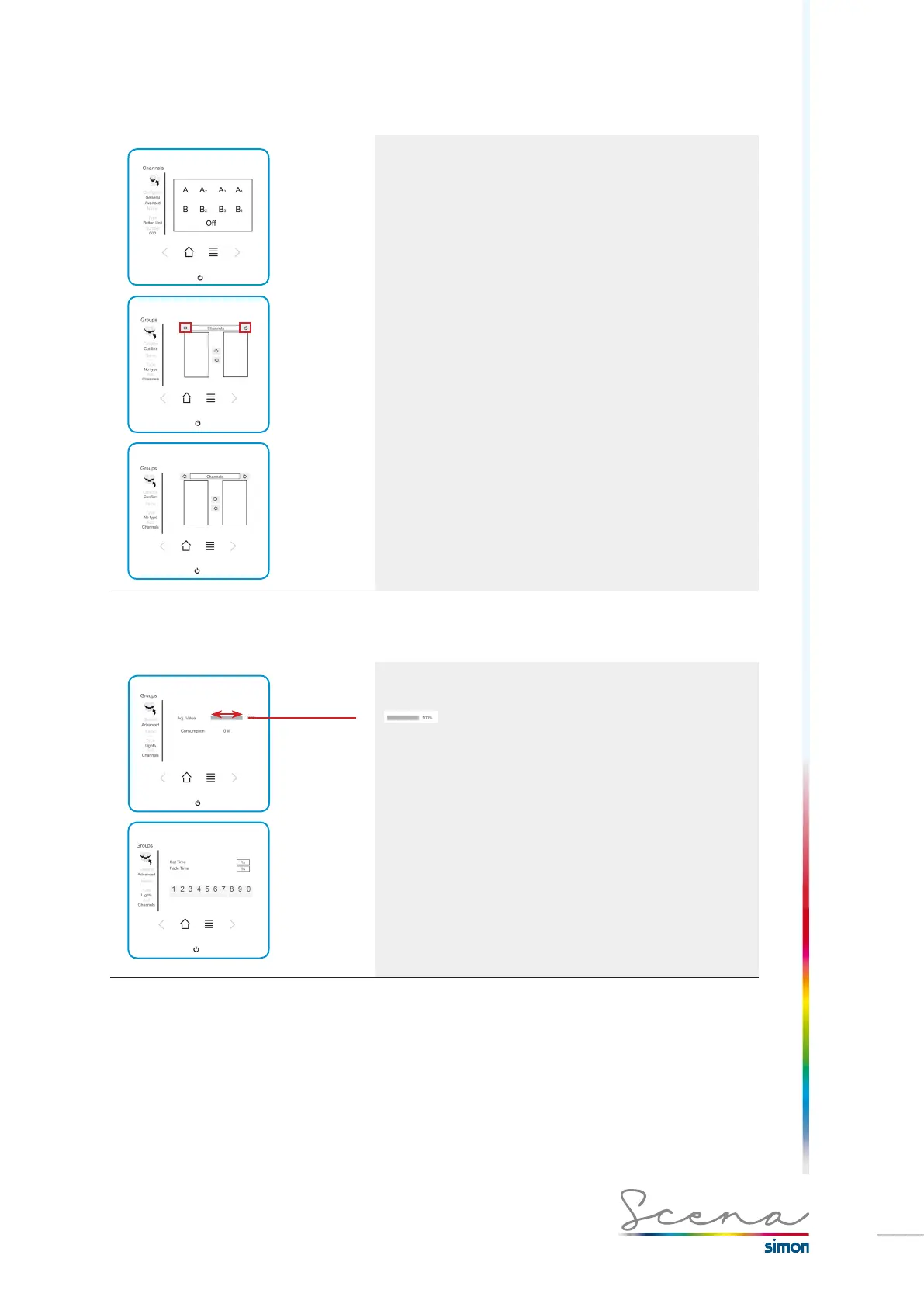
In the case of the button box, the general screen is a
reproduction of the button box, i.e. functionally it is a
reproduction of it.
On the advanced screen (only in administrator mode) we can
modify the functionality of each button of the button box, by entering
a channel, scenario or group in it.
In the tab where “Channels” appears, if we select the right-left
scrolling arrows, we can enter Channels, Groups, Scenarios or
Sequences of each position of the button box.
To add the channels, groups or scenarios, press the associated
text to move from the left zone, where they appear as default, to the
right zone to include them in the button’s functionality.
Selection of the different buttons for a complete configuration of the
button box.
5.4.9 Reg Ext
Type: Reg Ext
Intensity
Change the
channel’s
intensity
Configuration
In “general” mode we can change the channel’s intensity.
In “advanced” the type of screen is the same as for the
electronic transformer regulation module (see page 98).
An example of an external regulator is the DALI converter. The
registration of a DALI converter must be done manually
(process detailed on page 91).
The DMX-DALI converter allows different modes of control over
the luminaires connected to it, enabling us to create up to 6
different groups, i.e. 6 groups with different addresses.
For more information, see Annex I.



 To Next Page