103
ENG
5.4.10 Electronic transformer regulator module in parallel (Parallel)
Type: Parallel
Can adjust
directly
Configuración
To configure the regulators in parallel, in “general” we can
adjust them directly.
In “advanced” the type of screen is the same as for the
electronic transformer regulation module (see page 98).
On registering an electronic transformer module as parallel, the
physical addressing of the switches will be the same. Internally
in the console this device will occupy two DMX addresses.
Example: Address of both devices: 5 addresses used by the
console: 5.6.
5.5 Creation of groups
A group is a set of channels regulated in a centralized fashion.
For example, controlling all a room’s luminaires with the same luminosity level for all of them.
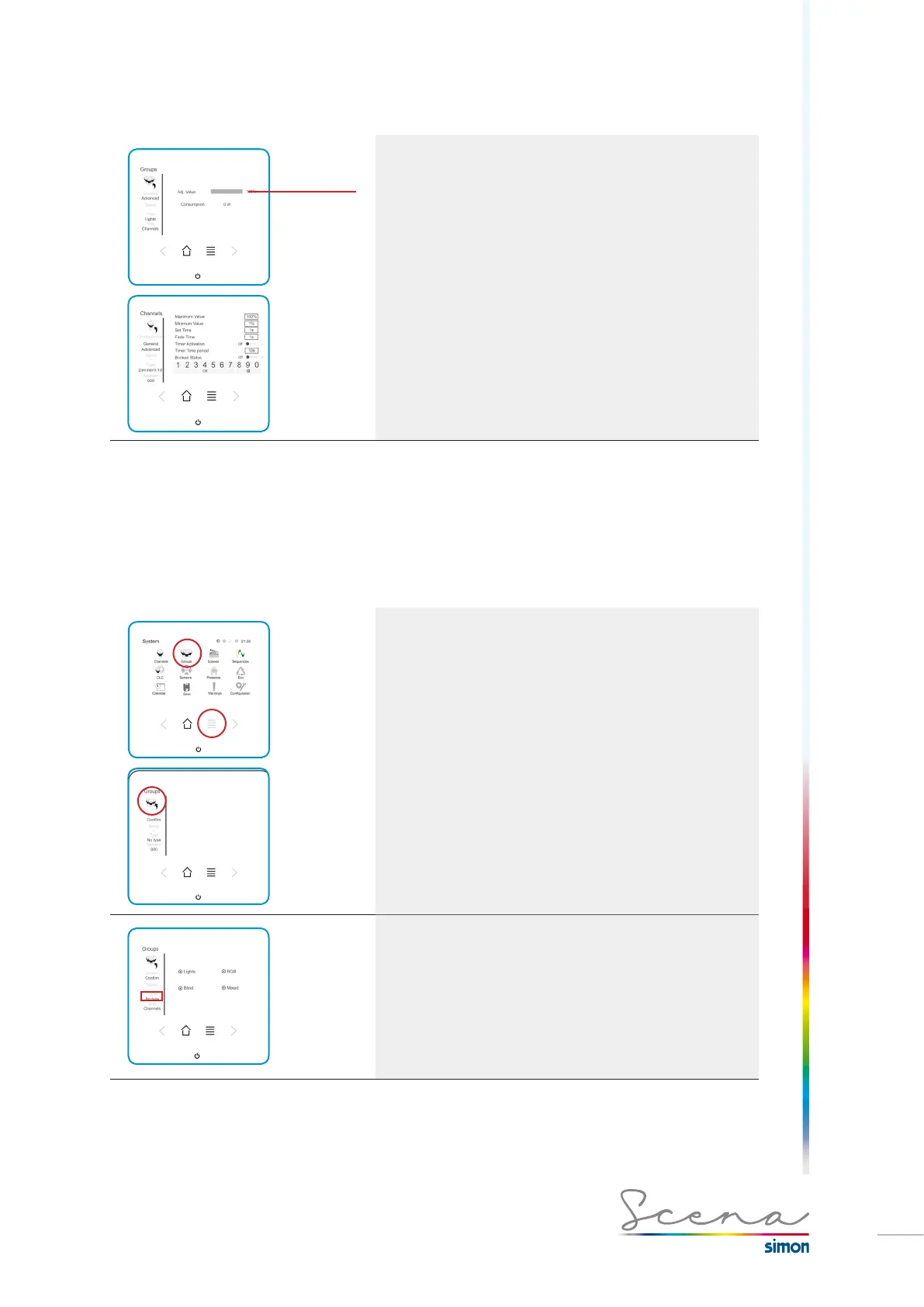
To access groups, in the “System” screen, we will press the
“Groups” icon.
Installer mode enables us to add as many groups as we like.
To add a group, press add:
Within a group, we can modify:
· Type of group
· Name of Group
· Selection of channels that form it
Type of group
· Lights: centralized control of lights
· Blinds: centralized control of lights
· RGB: centralized control of RGB luminaires
· Mixed: centralized control of lights and blinds.



 To Next Page