105
ENG
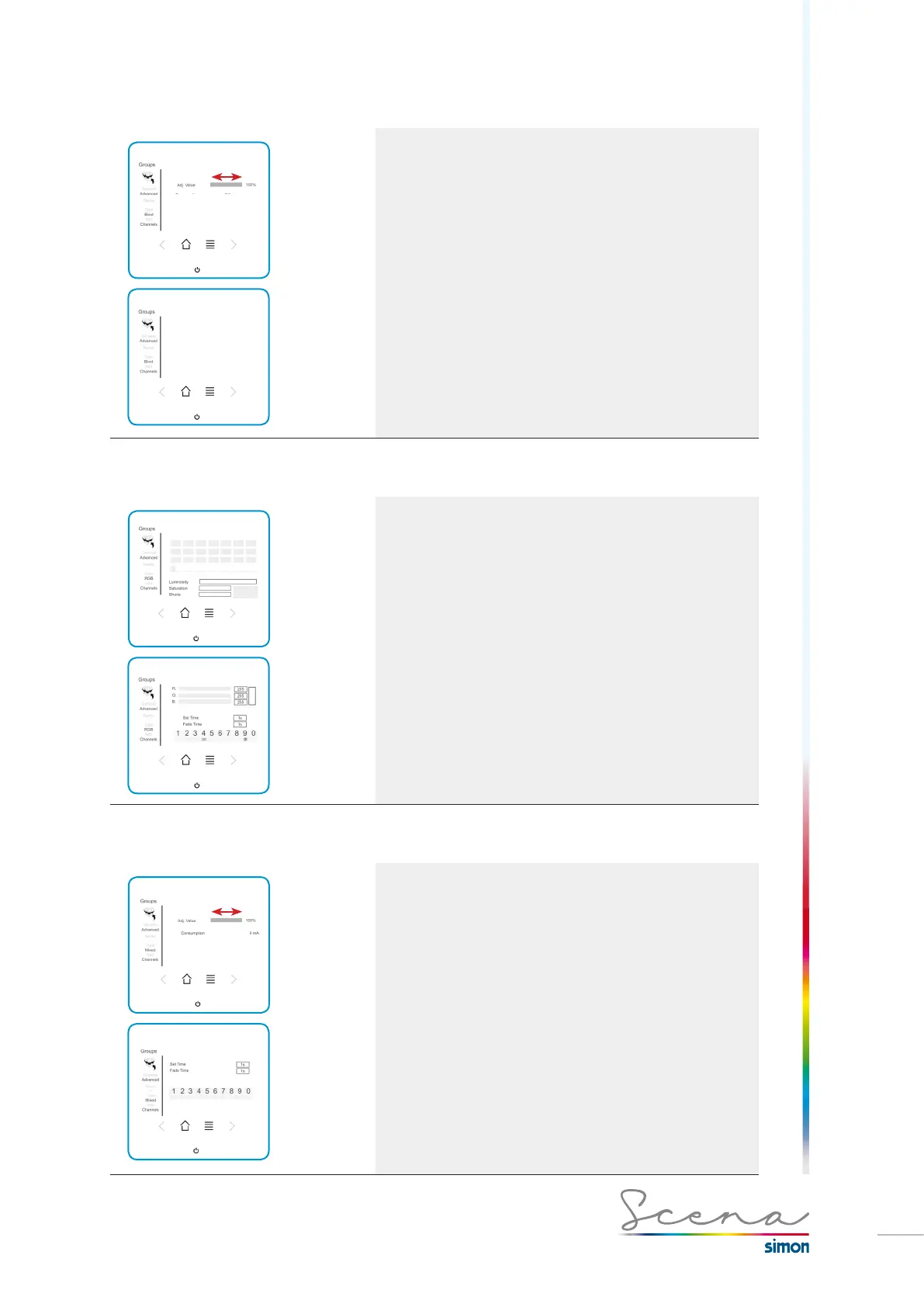
5.6.2 Lights group type
Type: Lights
General configuration (long press on this group):
Enables us to set or activate/deactivate the group and reports
on its consumption. To adjust, slide a finger along the grey-
shaded rectangle.
In advanced configuration, no type of parameter is configura-
ble.
5.6.3 RGB group type
Type: RGB
For a group of RGB’s, just as above we can access the
“General” and the “Advanced” screen. In General mode we
can modify the colour directly on a colour palette, or by
adjusting the luminosity, saturation and hue of the colour.
On the Advanced screen we can modify the individual value
of the RGB and of the Set and Fade time, as already
described in the channels section.
5.6.4 Mixed group type
Type: Mixed
The mixed group enables us to set all the luminaires or blinds
to the same level of adjustment.
In this case, in general configuration (long press on this
group): It enables us to set or activate/deactivate the group
and reports on its consumption.
To adjust, slide a finger along the grey-shaded rectangle.
If we press the advanced icon, we access the
corresponding screen in which we can change the Set and
Fade time, already described in the channels section.
If it is a blinds group, the Set and Fade time cannot be
configured.



 To Next Page