94
ENG
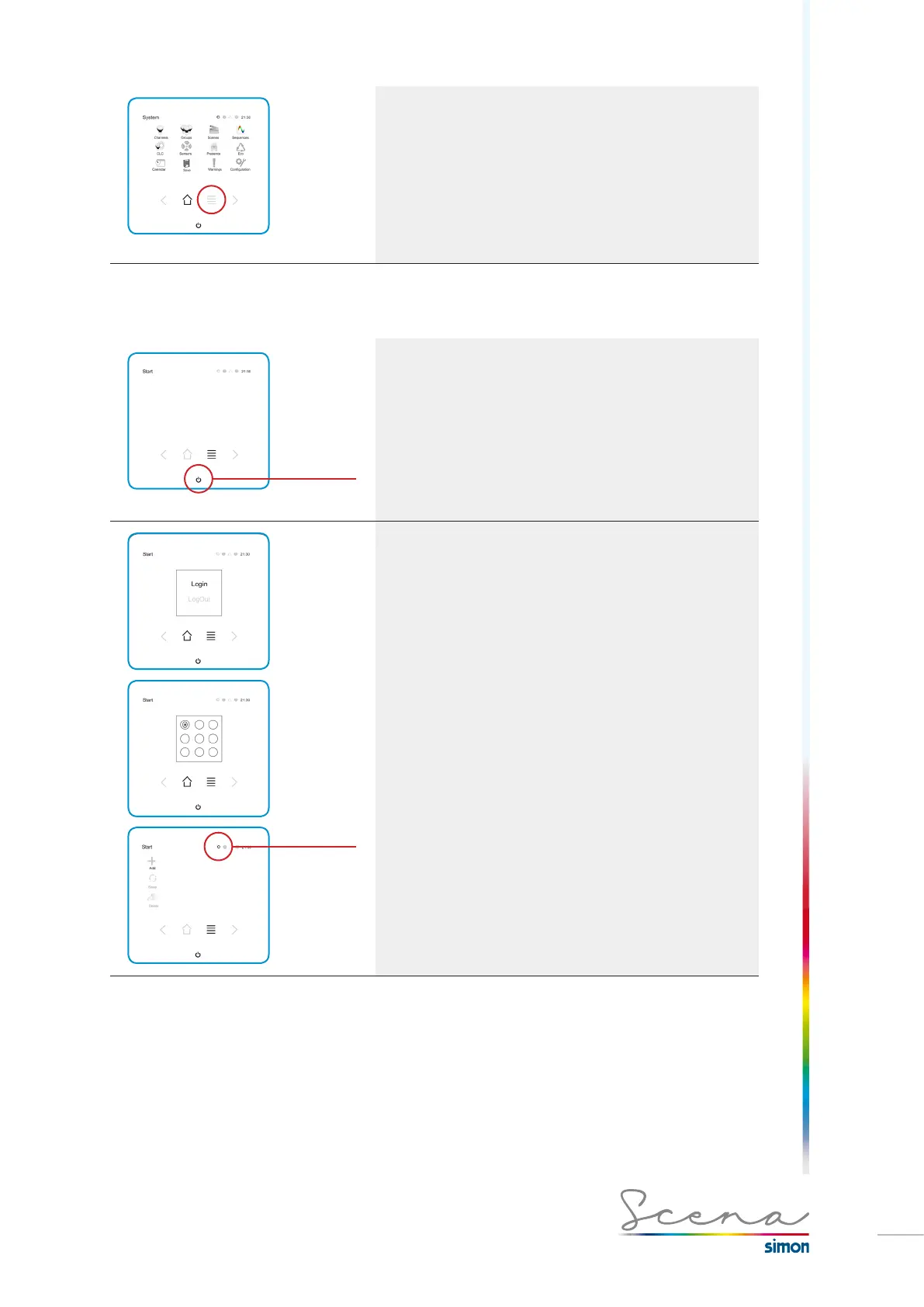
System screen
The System screen enables the user to access all the Sce-
na resources made available to him, since resources can be
protected in installer mode (see further on).
Similarly, we will have the Start and System screen in installer
mode. Below we explain the procedure for accessing
installer mode.
5.2 Access to installer mode
Installer
mode
Long-press
Program the system
In order to program the system, we need to login in Installer
Mode, as, if we don’t login, the Scena configuration will be the
user’s, allowing us to modify parameters that have been left
enabled in installer mode.
To do this, we need to long-press on the ON/OFF icon on
the start screen.
Installer
mode
Next, on selecting Login we go to a screen for entering the pas-
sword. The preset one is 1, 2, 3 and 4 (the first 4 buttons from
left to right / up and down in order).
Once the password has been entered, the installer start screen
will appear with new system tools.
Also, provided we are in installer mode, a gear icon will appear lit
up at the top right of the screen.
The Start screen in installer mode enables us to copy the direct
accesses the user will have after turning on the console. This
process will be detailed in point 5.16 (page 122 Configure start
screen).



 To Next Page