95
ENG
5.2.1 Checking the Installation, Test Screen
Login Screen
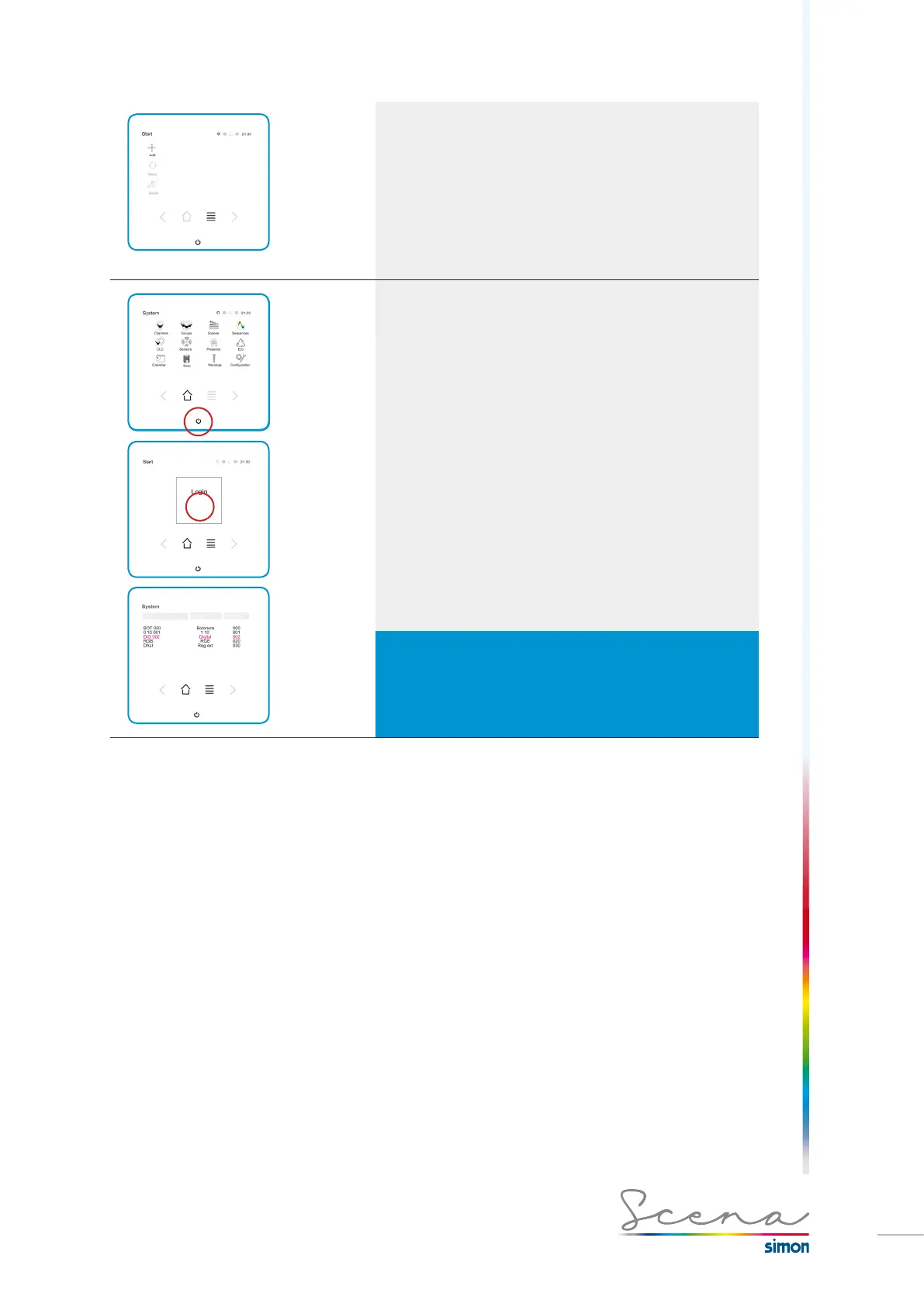
Once in installer mode, if we keep the on button pressed
down we move to the Login Screen. A new option opens.
Test
Test
Test is a method for acknowledging the devices connected
and checking their communication with the LightKeypad Touch
screen.
As we can see in the example, the list gives us the connected
modules, in order, with their name and address. If the
communication is not good or there is no communication at all
the channel is highlighted in red as can be seen on the previous
screen.
IMPORTANT
The protocol converter modules (DMX-PWM and DMX-DALI) will not
be identified using TEST but the other devices will be identified and
checked. The converters will only appear if they have been previously
manually registered in the Touch LightManager console.



 To Next Page