6 Using SimpleDrive
Disconnecting SimpleDrive
One of the great features of USB and FireWire is that you can disconnect SimpleDrive while your
computer is turned on. However, to avoid damaging the files on the drive and other USB or
FireWire devices, you should shut SimpleDrive down before disconnecting it.
1
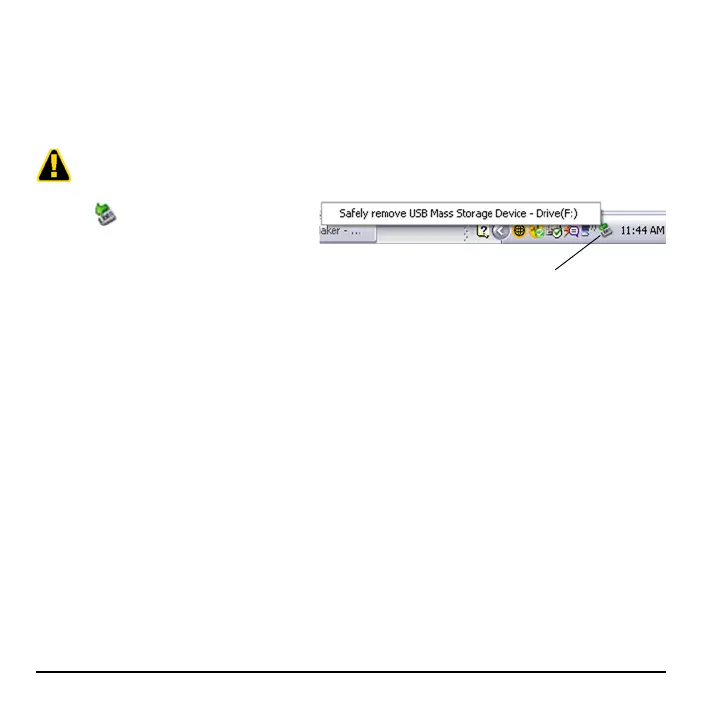
Click (Safely Remove Hardware)
icon in the System Tray.
2
Click the Safely remove USB Mass
Storage Device popup.
3
When Windows notifies you that it is safe to do so, unplug SimpleDrive from the computer’s
USB or FireWire port.
Before disconnecting SimpleDrive, close any open files and exit any applications running on the drive.
Safely Remove Hardware



 To Next Page