Using ArcSoft® TotalMedia Backup & Record™ 9
Backing Up Media Files
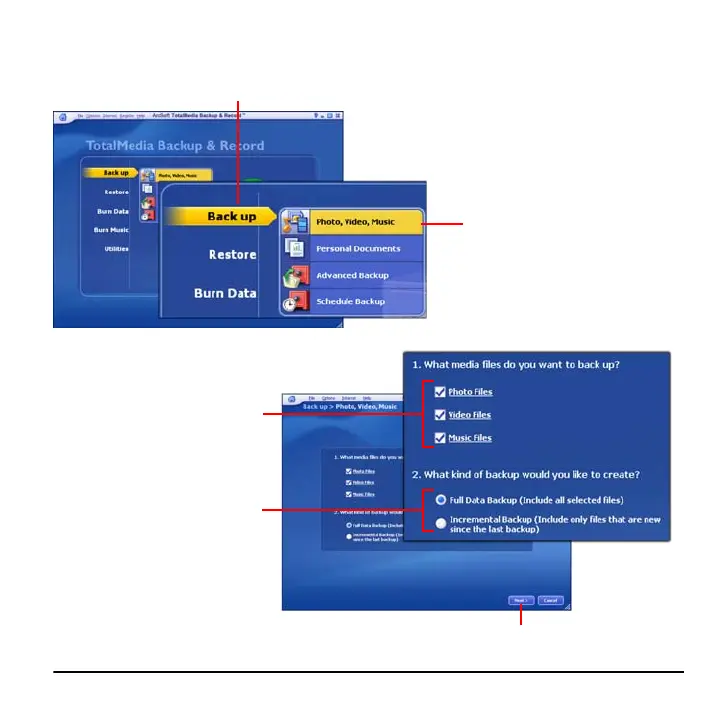
1 Place the cursor over the Back up option.
2 Click Photo, Video, Music.
3 Select the type of media
files you want to back up.
4 Choose the type of backup
you want to perform.
5 Click Next.



 To Next Page