Using ArcSoft® TotalMedia Backup & Record™ 15
Scheduling Periodic Backups
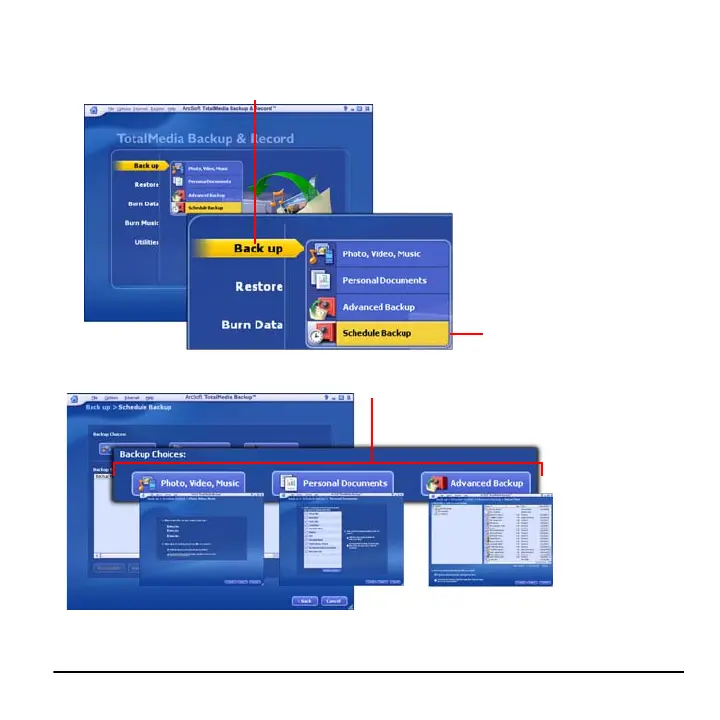
1 Place the cursor over the Back up option.
2 Click Schedule Backup.
3 Select the type of backup you want to
schedule, and then click Next.
4 In the window that appears, select the files and folders you want to backup, then click Next.



 To Next Page