14 Using ArcSoft® TotalMedia Backup & Record™
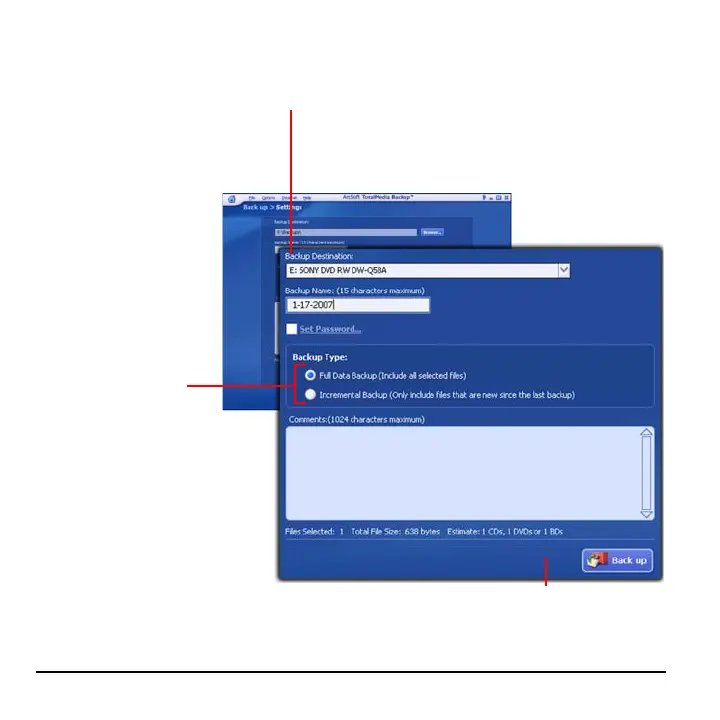
7 Click Back up.
6 Choose the type of
backup you want to
perform.
5 Specify the backup destination.
• To backup to a CD/DVD, select your CD/DVD drive.
• To backup to SimpleDrive, select Hard Drive, and
then click Browse to locate the drive.



 To Next Page