2 Visual Tour
VISUAL TOUR
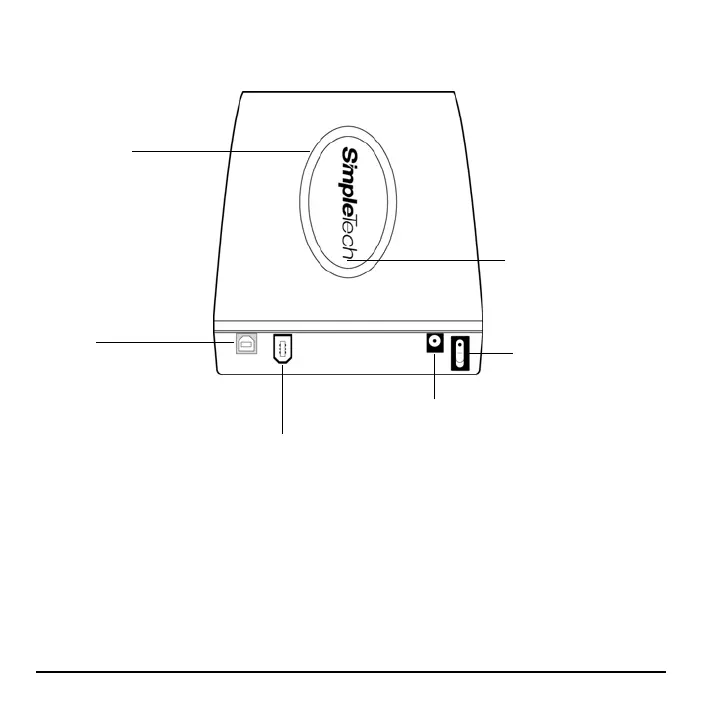
Capacity Meter
Illuminates to indicate the amount of
available storage on SimpleDrive.
One-Click Backup Button
Press this button to launch
TotalMedia Backup & Record
and back up your files to
SimpleDrive.
Power Switch
Turns SimpleDrive on or off.
DC-In Power Port
Use this port to connect the AC power adapter.
USB Port
Use this port to connect
SimpleDrive to the USB port on
your computer.
FireWire 400 Port (SimpleDrive Deluxe models only)
Use this port to connect SimpleDrive to the high-speed
Firewire 400 port on your computer.



 To Next Page