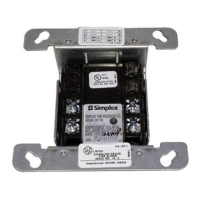
6.8.1.1 Mounting city circuit cards
To mount the city circuit card, complete the following steps:
1. Remove the AC power at the breaker from the control unit.
2. Use the B-key to unlock the cabinet's hinged door. Remove the black insulating cover. Keep the insulating cover in a secure
location.
3. Disconnect the batteries and remove them. Keep the batteries in a secure location.
4. Using the three supplied screws, mount the card on the bottom right corner of the system board.
Figure 26: City card mounting
5. Enable modules with the DIP switch SW4-4 before connection to the FACU.
Figure 27: DIP switch SW4-4
6. Use the power and communication harness to interface the card. The power and communication harness is included with the
city card.
7. Connect one end of the power and communication harness to the connector labeled P1 on the city card.
8. Connect the other end of the power and communication harness to the connector labeled P3 on the system board.
9. Place the batteries back inside the enclosure. Apply battery power.
10. Install the black insulating cover.
11. Apply AC power at the breaker.
page 33 579-1402 Rev B
2004 Foundation Series Fire Alarm Control Unit Installation Guide



 To Next Page