26 — Operang Instrucons
When the fan is running
properly, you are ready to be-
gin testing.
Press the F1 function key
or “F1 - Manual Mode” on
the screen to bring up Manual
Mode (See Figure 23 HMI -
Manual Mode). In the upper
right area of this screen is a
display indicating the load to be applied, measured in kilowatts.
To change this value, touch the number and enter the new val-
ue on the numeric keypad that appears. Enter the desired value
and press the ↵ button to return to the previous screen, or press
“E” to return to the main screen without changing the value.
In the lower right quadrant of the screen is the KW Jog value.
is indicates by how many kilowatts you will increase or de-
crease the load by pressing the “-” and “+” buttons, respectively.
To change this value, press the number and enter your choice
using the numeric keypad.
To begin testing, press the “Master Load” button. is will ac-
tivate the load bank and begin applying the load displayed in the
upper right area of the screen. To quickly decrease or increase
the load, press the “-” and “+” buttons.
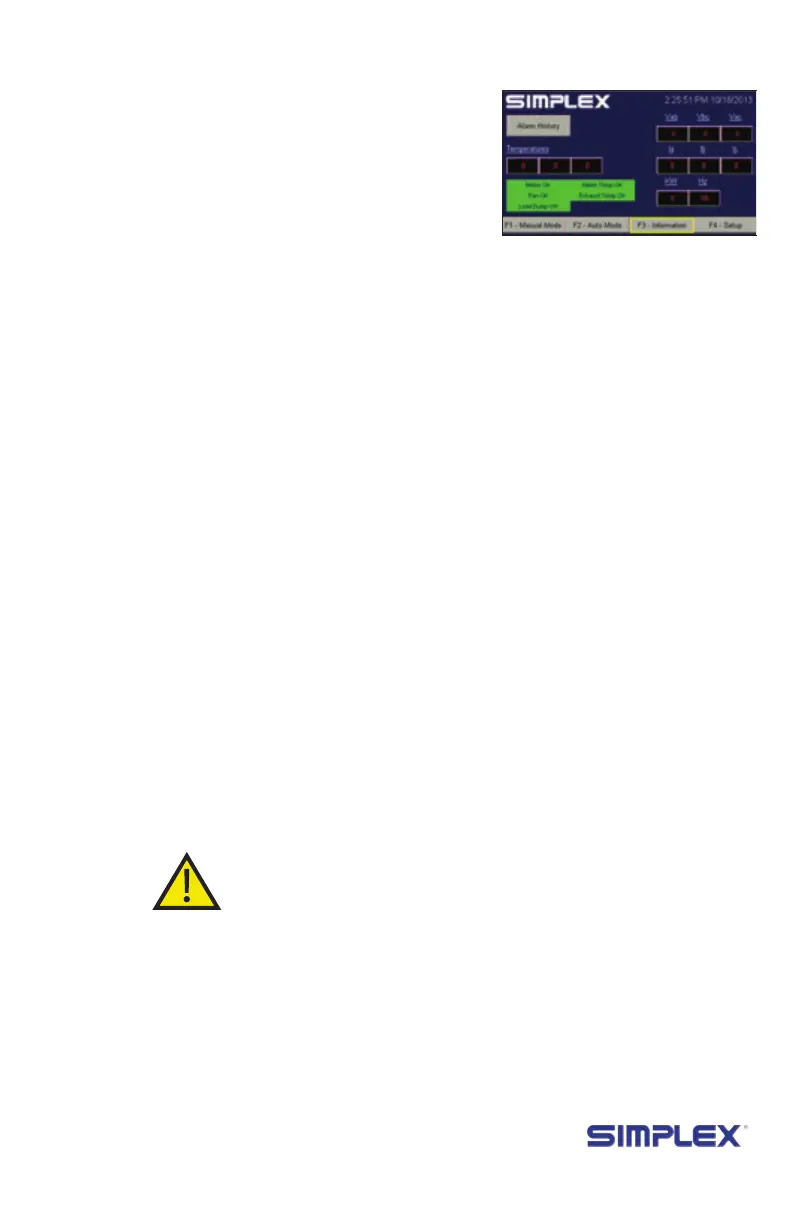
If you have purchased the metering upgrade, pressing the F3
function key or “F3 - Information” on the screen while the test is
running will bring up the metering screen (see Figure 24). Here
you can monitor the voltage, current, load applied to the source,
and the frequency of the electricity. is screen also displays the
temperatures registered by the load bank’s three sensors.
If any of three voltage or current values are signicantly dif-
ferent from the other two, check the load bank for a blown fuse.
If no blown fuse is found, contact Simplex service at 800-637-
8603.
Pressing “Alarm History” on this screen will bring up a list of
registered alarms.
When the test is complete, press the Master Load button
then the Control Power button to remove the load from the test
source. e load bank’s fan will continue running for the dura-
tion of the cooldown delay (see page 23).
Setting up tHe
teSt
teSting
operation
metering (if
equipped)
SHutdown and
Cooling
Figure 24 Metering
screen



 To Next Page