28 — Automac Mode
power draw has increased
beyond the preset maximum
value, it begins removing
load until the draw is back
within the designated range.
Before you activate Auto-
matic Mode, you must cong-
ure the load bank to interact
with your generator. Enter the
Automatic mode setup screen by pressing the “F4 Setup” button on
the screen or the F4 function key to reach the Setup Screen, then
pressing the Automatic Mode Settings button (see “Figure 25 Set-
up Screen” on page 27.)
On the setup screen will be ve options specic to Automatic
Mode. (See “Figure 26 Automatic Mode Setup” on page 27.)
• Target load (KW): Sets the target load you want on your gener-
ator, measured in whole kilowatts.
• Max Deviation (%): Determines how far above and below your
target load is acceptable, measured in whole percentage points.
is value must be greater than your load step resolution.
• Step Up Delay (sec): Determines how fast the load bank will
add sequential load steps, measured in whole seconds.
• Step Down Delay (sec): Determines how fast the load bank
will remove sequential load steps, measured in whole seconds.
• Startup Delay (sec): Determines how long the unit will wait
before beginning to regulate the load once the power draw has
dropped below the lower limits established by Target Load and
Max Deviation, measured in whole seconds.
To change any of the values, press the value and a numeric key-
pad will come up. Use it to enter a new value the same way you
would enter a load to apply.
When your load bank is congured, return to the main screen
by pressing the “Back” button. From the Main screen, press the
“F2 - Auto” button or the F2 function key to enter the Automatic
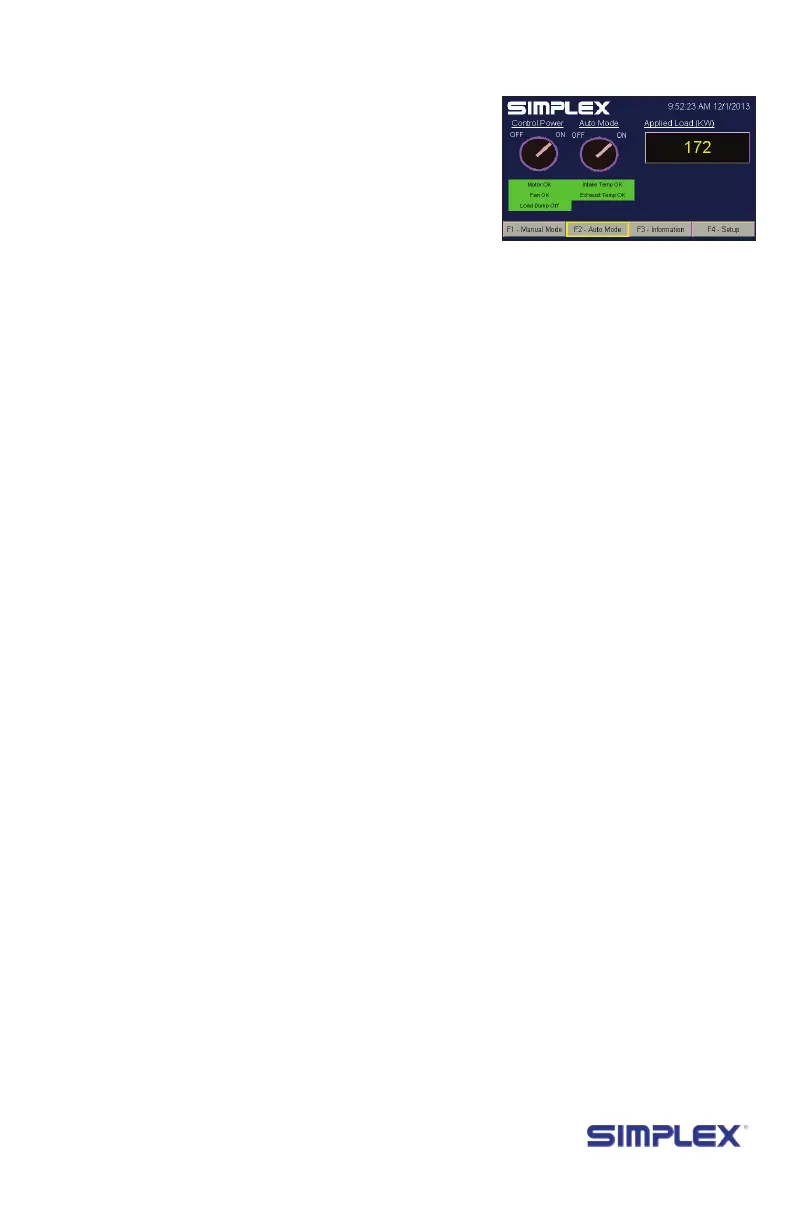
Mode screen (See Figure 28 Automatic Mode Running.)
On the Automatic Mode screen, press the “Auto Mode”
switch. Once this mode is enabled, the load bank will monitor
your generator and step the load up or down as necessary.
Once congured and enabled, your load bank can remain in
Automatic Mode indenitely.
Setting up
a
utomatiC
m
ode
The values
you will need
to set up
this mode
are specic
to your
generator.
For example,
if you have an
800 kilowatt
generator
with a 60% to
80% optimal
operating
range, you
might set
Target Load
to 560 (which
is 70% of its
capacity)
and Max
Deviation to
10%.
entering
a
utomatiC
m
ode
Figure 28 Automatic
Mode Running



 To Next Page