EasyManua.ls Logo

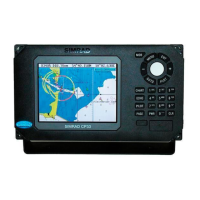
Simrad CP54 - User Manual

Simrad CP54
160 pages
Print Icon
To Next Page IconTo Next Page
Loading...
M A N U A L
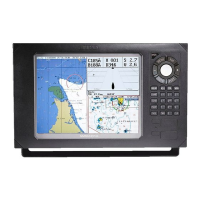
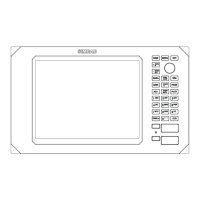
Simrad CP34/44/54
Chartplotter
183-3402-102 English 05082.20
Note!
Insert or remove C-MAP cartridges ONLY through SETUP menu or when
unit is off. All electronic navigation equipment is subject to external factors
beyond the control of the manufacturer. Therefore such equipment must be
regarded as an aid to navigation. The prudent navigator will, for that reason,
never rely on a single source for position fixing and navigation.

Table of Contents

Other manuals for Simrad CP54

Questions and Answers

  • C
    Christopher MorganAug 16, 2025
    What to do if there is no picture on my Simrad CP54 GPS display screen?
    • K
      Kelsey BennettAug 16, 2025
      First, try pressing the [PWR] key on the keypad. If that doesn't work, replace the fuse, ensuring you use only type F6.3A.
  • B
    Brandon TaylorAug 19, 2025
    Why is my Simrad CP54 GPS data deleted after turning the unit off and on?
    • B
      Bryan RobertsonSep 12, 2025
      If all data is deleted after turning your Simrad GPS unit off and on, the internal battery likely needs replacement. This should be done by an authorized dealer, as the expected lifetime of the battery is a minimum of 5 years.
  • J
    Jackie GarciaAug 22, 2025
    What to do if my Simrad GPS has no normal picture or key operation?
    • A
      aaronstephensAug 22, 2025
      If your Simrad GPS shows no normal picture or key operation, try the following steps: 1. Turn the unit off and then on again. 2. Disconnect the power and then reconnect it. 3. Remove the C-MAP chart, as it may be defective.
  • Q
    qhawkinsAug 26, 2025
    What to do if the picture on my Simrad GPS display is too dark or bright?
    • M
      matthew30Aug 26, 2025
      If the picture on your Simrad GPS display screen is too dark or too bright, press [PWR] to adjust the light, and then press [ENT].
  • D
    David NewmanAug 28, 2025
    Why is my Simrad GPS screen update extremely slow?
    • A
      Anthony PatelAug 28, 2025
      If your Simrad GPS screen update is extremely slow, turn off ‘Course line’ for each stored route and turn off ‘Display track’.
  • M
    Michelle WhiteAug 31, 2025
    What to do if my Simrad GPS has no GPS position update?
    • K
      Kimberly SmithSep 1, 2025
      If your Simrad GPS is not updating its position, try replacing the antenna or the cable.
  • S
    Samantha MoodySep 3, 2025
    What to do if Simrad CP54 GPS has no GPS position update?
    • B
      brianaguilarSep 3, 2025
      If your Simrad GPS isn't updating its position, first check that the position mode is set to INTERNAL within the interface setup, accessible through [MENU], [6], [2], then Position. If the issue persists, consider replacing the antenna or cable.
  • C
    Carolyn TaylorSep 6, 2025
    What to do if Simrad CP54 has no normal picture or key operation?
    • E
      Eileen MoralesSep 6, 2025
      If your Simrad GPS shows no normal picture or key operation, try turning the unit off and on again. If that doesn't work, disconnect the power and reconnect it. Also, remove the C-MAP chart if you suspect it's defective. You can also return to factory presets.
  • W
    William Yates Jr.Sep 9, 2025
    How to fix a Simrad CP54 screen that is too dark or too bright?
    • E
      Emily McintyreSep 9, 2025
      If the image on your Simrad GPS display screen is too dark or too bright, press [PWR], adjust the light, and then press [ENT].
  • N
    Natalie NelsonSep 12, 2025
    What to do if all data is deleted after turning off the Simrad CP54 GPS?
    • G
      gomezhannahSep 12, 2025
      If all data is deleted after turning off your Simrad GPS and turning it back on, the internal battery likely needs to be replaced by an authorized dealer. The expected lifetime of the battery is a minimum of 5 years.

Simrad CP54 Specifications

General IconGeneral
BrandSimrad
ModelCP54
CategoryGPS
LanguageEnglish

Related product manuals