Operating Manual TRACSCAN 2.0
V2.0, 2022-05 17 / 36
Table 11: Test Program James Machine
Modified program settings are saved automatically when the instrument shuts down.
4.6.5. Instrument Settings
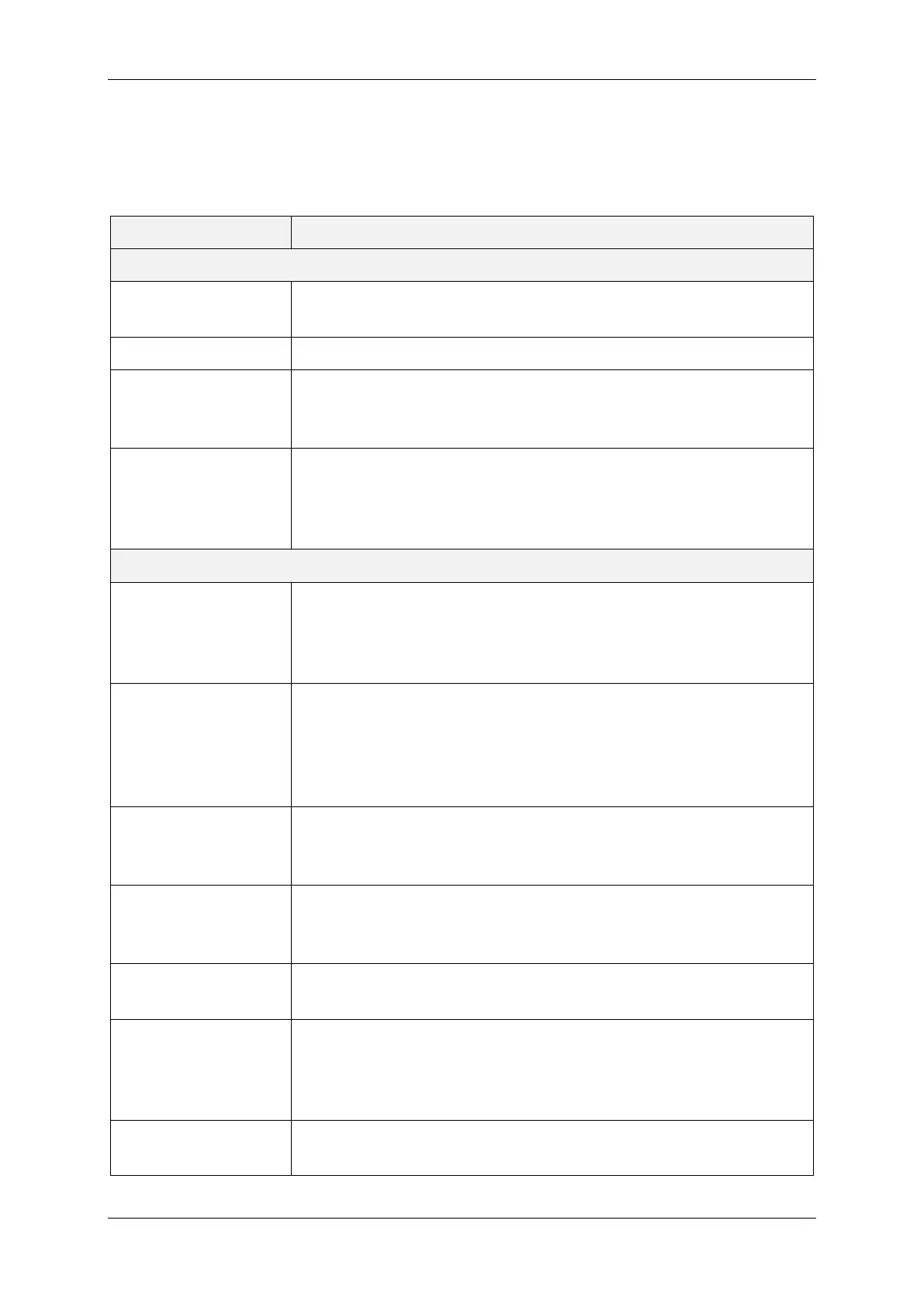
Parameter Description
Basic Settings
Language Selects the language for Operation and Menu. Currently, German
and English are supported.
Brightness Sets the Display Brightness to a value between 20% and 100%.
Sound The instrument
can generate an acoustic warning signal while in
operation, i.e., while a measurement is being taken. Value On ena-
bles the signal.
Function of Print Key This parameter defines the function of the Print Key, i.e., what will
be executed if the instrument
is turned on by pressing the Print Key.
The function can be programmed to Disabled (no function), Short
Report or Long Report.
Advanced Settings
Units of Measure Defines the Units of Measure for distances and temperatures. The
instrument supports Metric and US Customary. If US Customary is
set, distances will be shown both in Metric (cm) and US Customary
(inch) unit.
Shut Down After
Measurement
Per default, the instrument shuts down after a measurement has
been taken. To avoid delays while taking a series of measurements,
the instrument can be kept alive and a subsequent measurement
can be started while the result of the current measurement still is
displayed (value No).
Default User Role Defines if the user can only take measurements (role Operator) or
can also modify the program and instrument settings (role Supervi-
sor).
Location Code Size The l
ength of the location code that can be entered before each
measurement. Maximum size is 8 characters. Value 0 disables the
location code feature, i.e., the user will not be prompted for a code.
Location Code Type The location code can either be Numeric (characters 0 … 9 or
blank) or Alphanumeric (0 … 9, A … Z or blank).
Store Invalid Results
Specifies if invalid measurements shall be stored in the archive
(value Yes) or shall be discarded (value No). A measurement is set
to result “invalid”, if it has been aborted by the user or cannot be
completed due to an error (e.g., wheel spin).
Show Minimum
Value in Report
Defines if the minimum COF value of a measurement shall be
shown in the short or long report. Note that minimum values are


 To Next Page