Operating Manual TRACSCAN 2.0
V2.0, 2022-05 30 / 36
8.5. Manage Measurement Reports
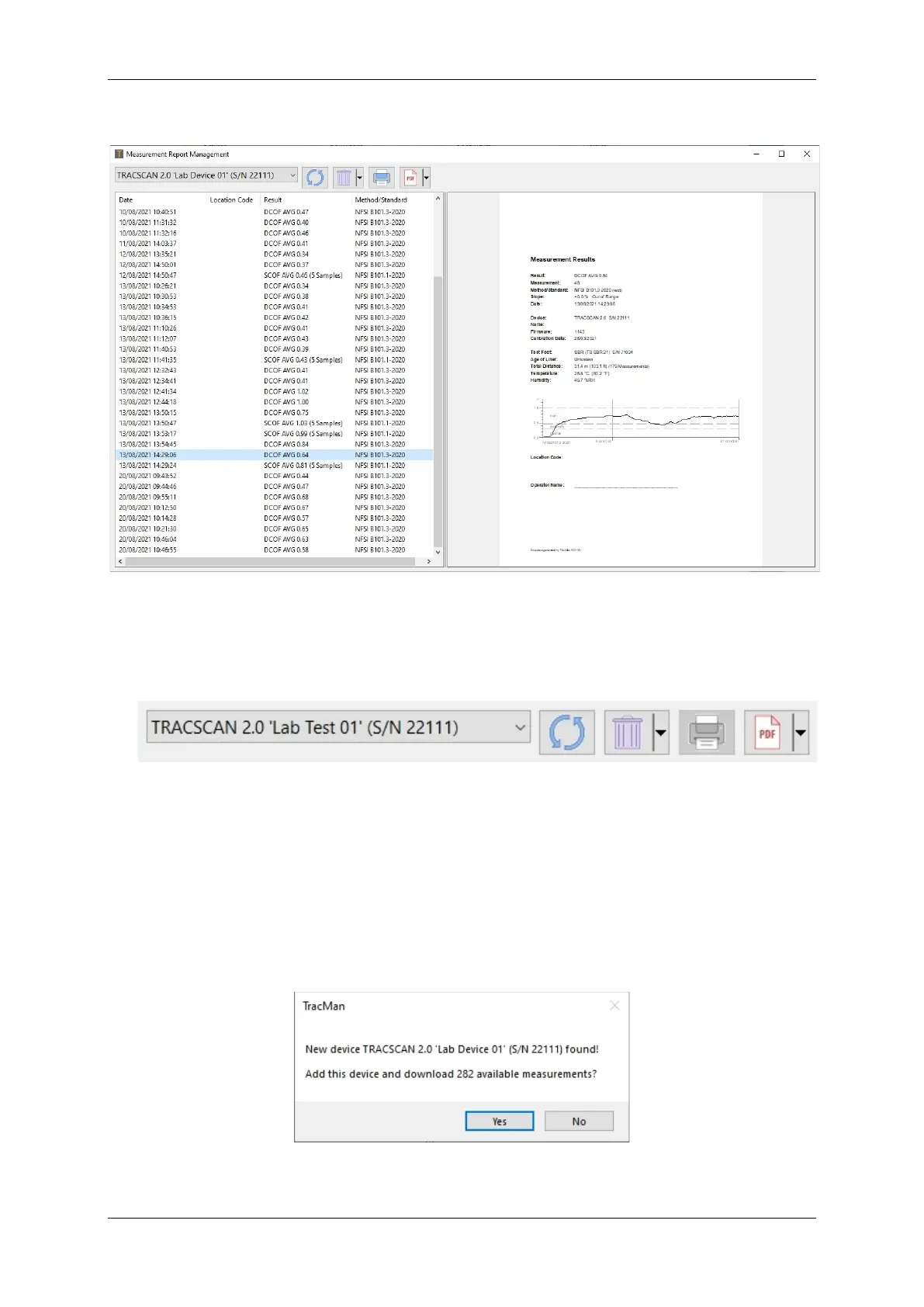
Figure 16: TracMan Measurement Report Management
With this view, the report data are managed. The view has three elements:
• Toolbar: Select instrument, synchronise data, delete report, print report, save report as
PDF.
Figure 17: TracMan Toolbar
• List View: Displays all available reports of the selected instrument
• Report View: Displays the selected report.
TracMan can handle measurement reports of several instruments. The instruments are distin-
guished by their serial number. If a new instrument is connected for the first time, TracMan
asks if the instrument shall be added and whether all available measurements shall be down-
loaded. Depending on the number of measurements, downloading may take several minutes.
The download can be paused and resumed at any time.
Figure 18: TracMan Found New Instrument


 To Next Page