Operating Manual TRACSCAN 2.0
V2.0, 2022-05 9 / 36
4.1.1. Control Panel
The control panel comprises the battery charging indicator LED, the display and 4 buttons to
operate the instrument. If the instrument is off, the buttons have the following functions:
Start program 1, see section [3.6.4] for default settings and how to change them
Start program 2, see section [3.6.4] for default settings and how to change them
Print results from most recent measurement, see section [3.6.5] for default setting
and how to change them
Open the main menu for program and instrument settings, see section [3.6]
To avoid unintended operation, a button has to be pressed for 2 seconds at least.
During operation, the functions of the buttons depend on the current context, i.e., will have
different functions. For details, see section [3.6.1].
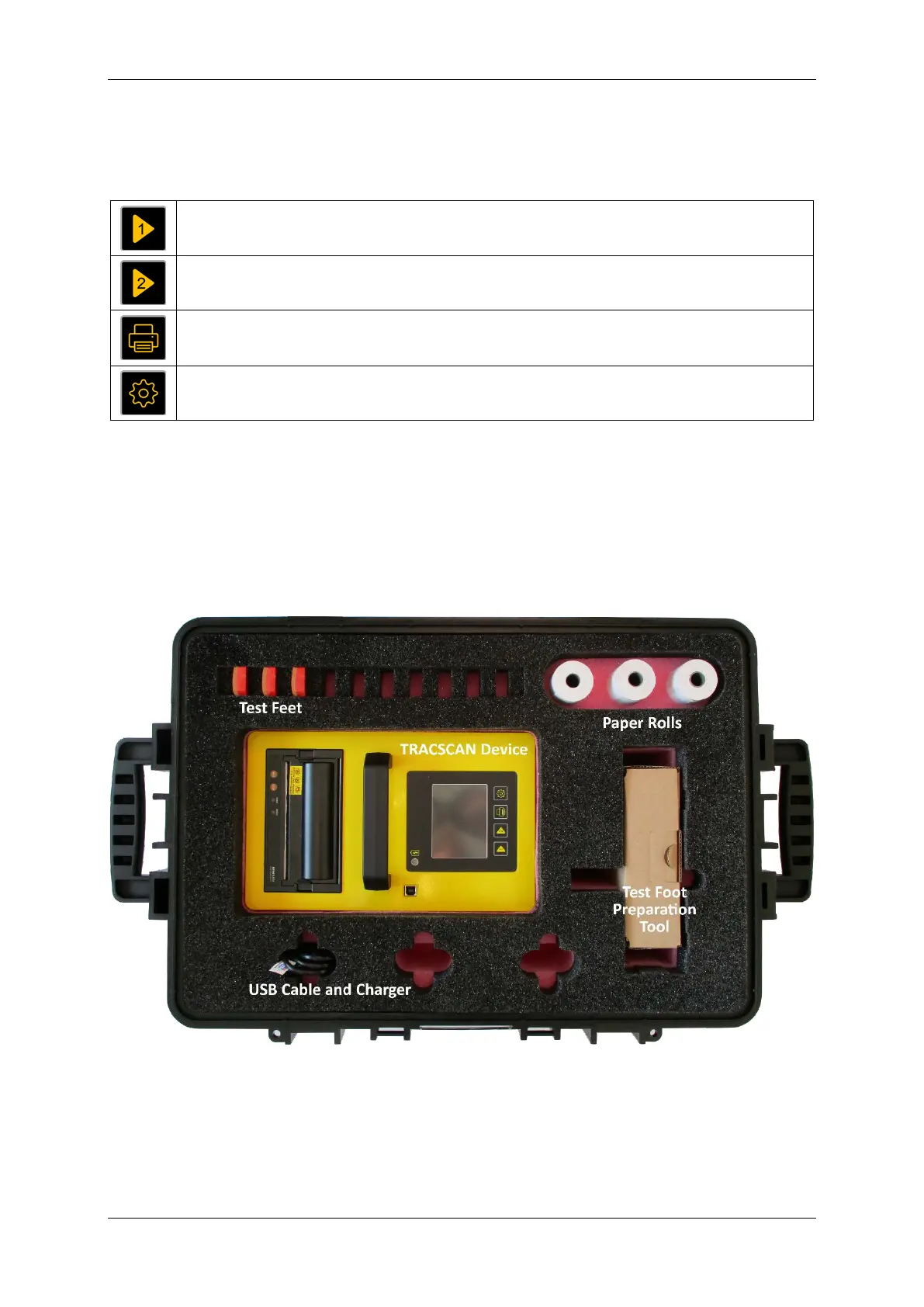
4.1.2. Case
The TRACSCAN 2.0 is shipped in a robust case. The case offers space for the instrument and
all accessories.
Figure 2: TRACSCAN Case


 To Next Page