Operating Manual TRACSCAN 2.0
V2.0, 2022-05 19 / 36
With menu Archive → Measurements, all archived measurements can be accessed. The menu
shows the method and the average COF of the selected measurement; both a short and a long
report can be printed.
4.8. Operating Data
4.8.1. General
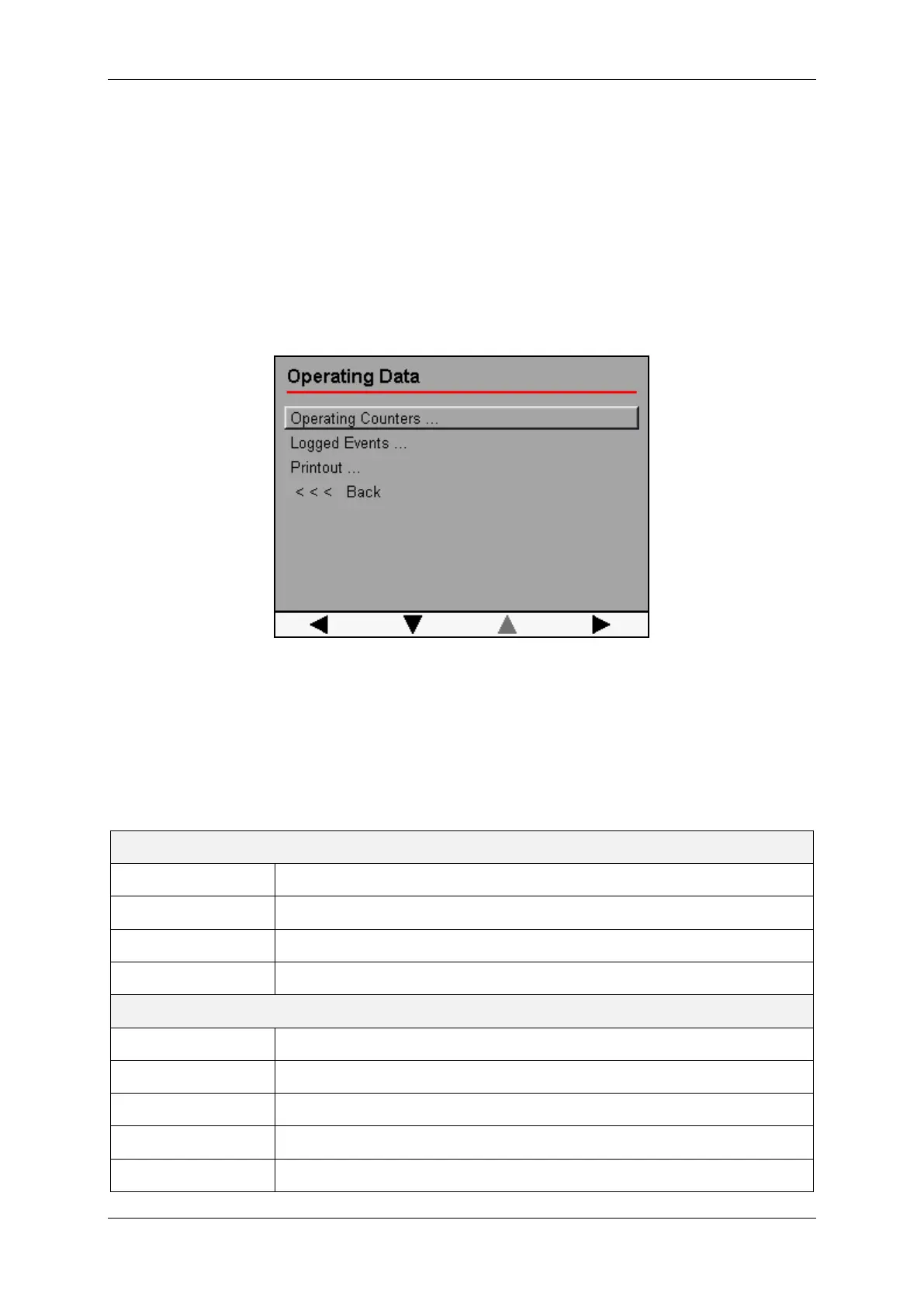
The instrument logs events and records a number of operating counters and hour meters. All
these operating data are stored in non-volatile memory. They can be displayed via menu sys-
tem and can also be printed.
Figure 6: Operating Data Menu
Menu Operating Data is described in section [3.8.2], Menu Logged Events is described in sec-
tion [3.8.3]. Menu Printout offers means to print all operating data on the printer or via USB.
4.8.2. Counters and Hour Meters
The following counters and hour meters are kept and updated by the instrument. The hour
meters are updated with a resolution of one second.
Counters
Power On Number of power-ups
Lift Number of test foot lift movements
Lower Number of test foot lower movements
Printout Number of printouts
Hour Meters
USB Powered On time while USB powered
Battery ≤ 6.5 V On time while battery voltage is less or equal 6.5 V.
Battery ≤ 9.5 V On time while battery voltage within range 6.5 V … 9.5 V.
Battery ≤ 12.5 V On time while battery voltage within range 9.5 V … 12.5 V.
Battery ≤ 15.5 V On time while battery voltage within range 12.5 V … 15.5 V.


 To Next Page