Use a device having Web browsing capabilities, for
example laptop, to connect with the wireless
router or Ethernet cable. If using the wireless
router, from your device connect to the network
SSID: “GD1”
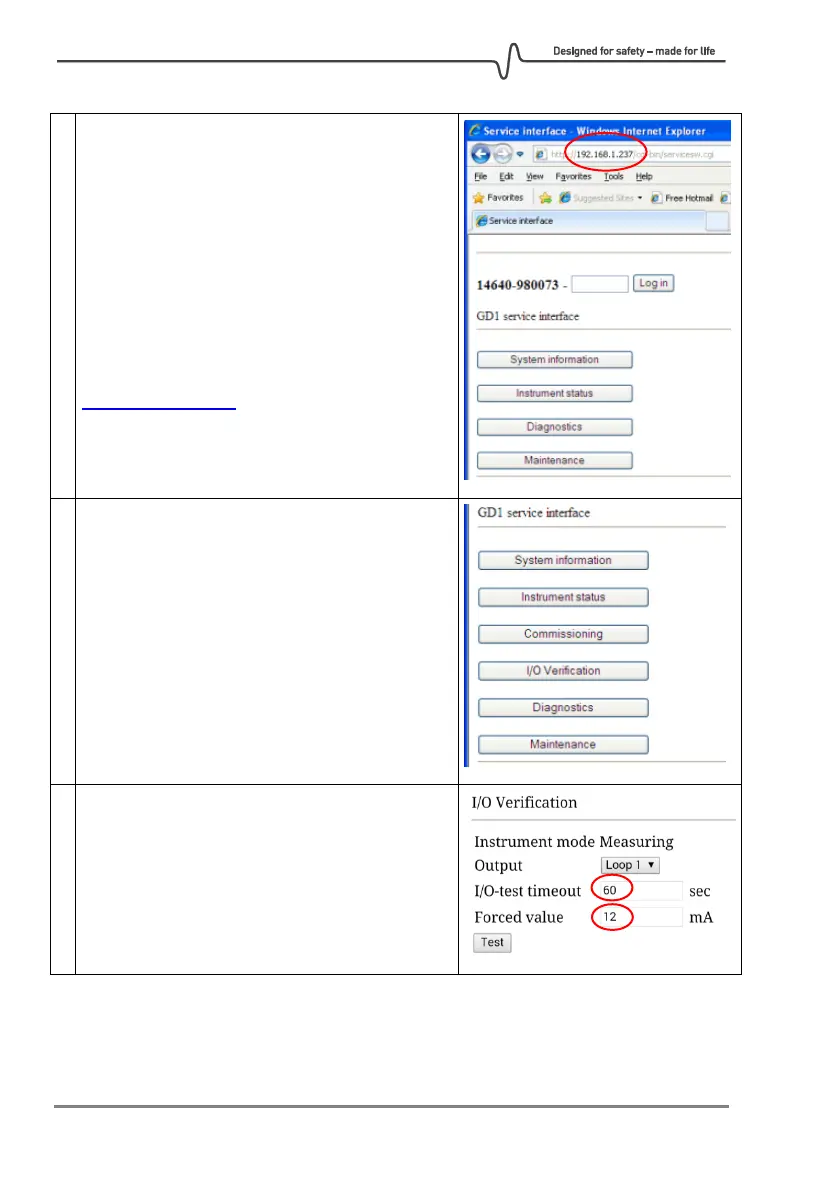
In the web browser of your device, enter the GD1
Service Interface on the address
http://192.168.1.237
Log into the Service Interface with the Operator
password: "gd1tlc"
After logging in as Operator more functions are
accessible as illustrated in the right image.
Run loop testing in the Web interface "I/O
verification" screen.
Recommend to use at least 60 sec test time.
Enter forced value. For example 12 mA is 50% of
full scale.



 To Next Page