GD1 Page 47 of 76 850-816926-EN R06
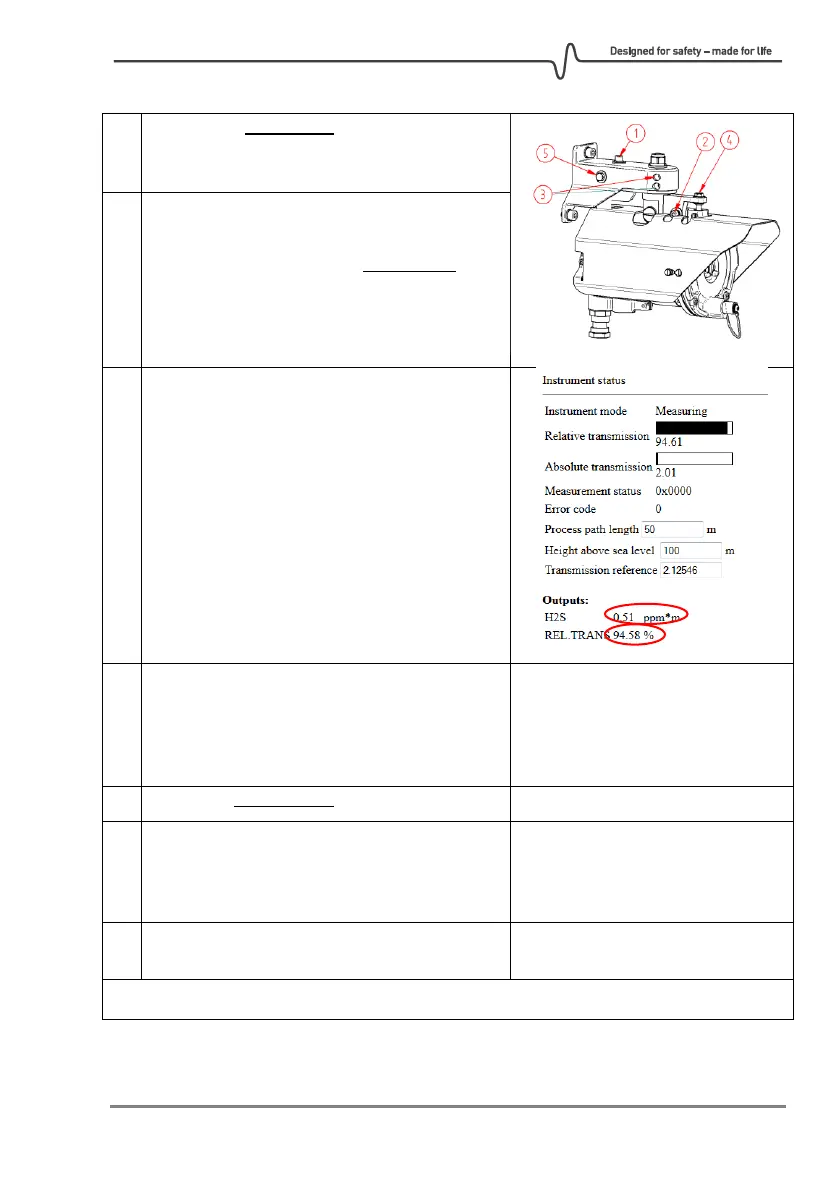
Loosen only screw 1 or 2 for adjustment in
respectively the horizontal (screw 5) or vertical
(screw 4) direction.
Adjust detector slightly with screw 5 or 4 for
respectively horizontal or vertical direction.
Observe that H
2
S fluctuations stay within
± 8 ppm*m. It can take up to a minute for the
noise signal to stabilize. Preferably, the relative
transmission should not drop below 90%
during this tuning. If the signal is OK and
relative transmission did not drop too much,
continue to the step 9.
If the signal still needs tuning go back to step 6.
If it is not possible to get low fluctuations by
tuning in the current direction without going
below 90% relative transmission, go back to
step 5 and start adjusting in another direction.
Make sure screw 1 and 2 are tightened.
Go into the COMMISSIONING ALIGNMENT
screen and set the detector in "Alignment
mode". Then store the new relative
transmission by clicking DONE and SAVE.
Go to the Status screen to verify the detector is
in Measurement mode and noise level is OK.



 To Next Page