lj ll Itl. .,
(l"(!I
(_) /
('i) a
k
SELECTING A PATTERN
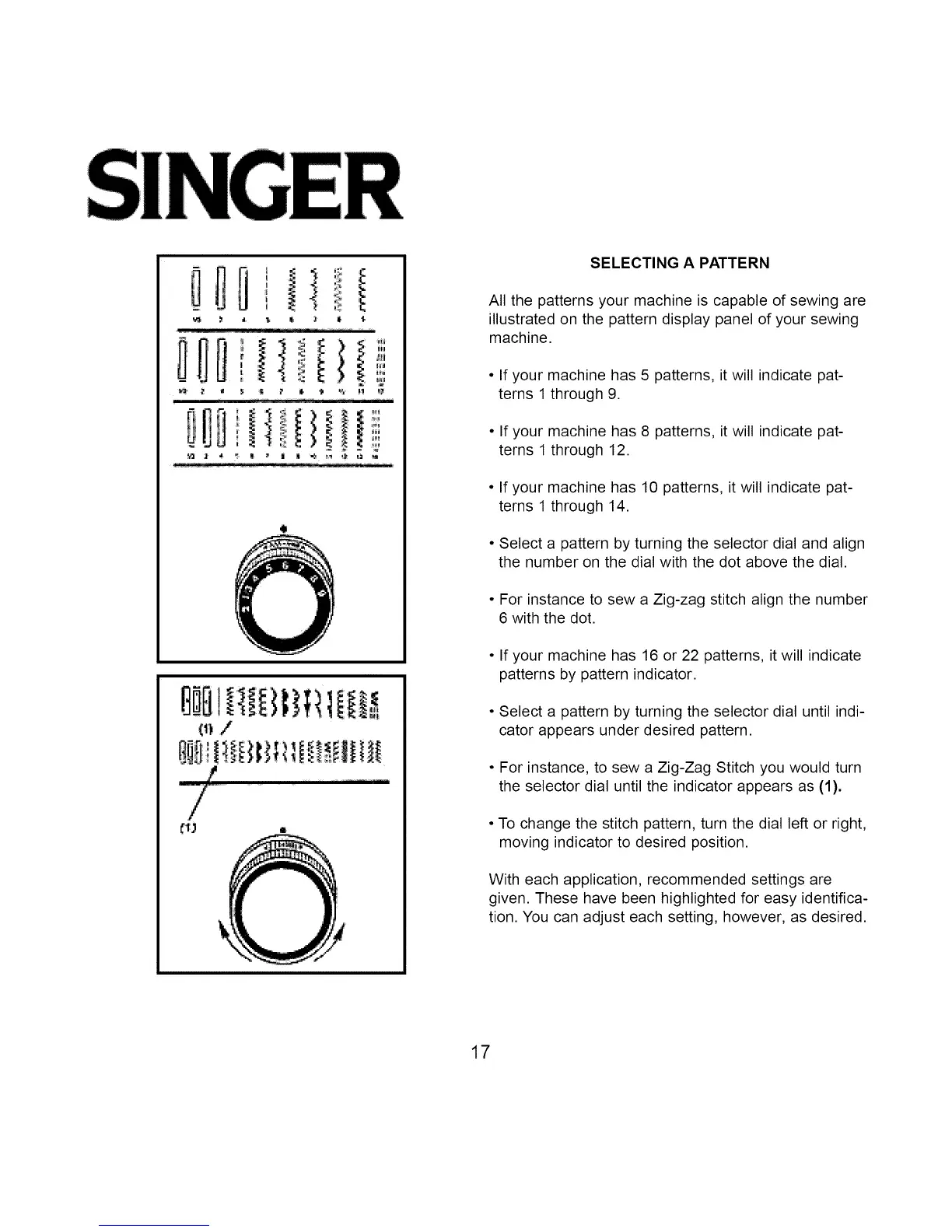
All the patterns your machine is capable of sewing are
illustrated on the pattern display panel of your sewing
machine.
• If your machine has 5 patterns, it will indicate pat-
terns 1 through 9.
• If your machine has 8 patterns, it will indicate pat-
terns 1 through 12.
• If your machine has 10 patterns, it will indicate pat-
terns 1 through 14.
• Select a pattern by turning the selector dial and align
the number on the dial with the dot above the dial.
• For instance to sew a Zig-zag stitch align the number
6 with the dot.
• If your machine has 16 or 22 patterns, it will indicate
patterns by pattern indicator.
• Select a pattern by turning the selector dial until indi-
cator appears under desired pattern.
• For instance, to sew a Zig-Zag Stitch you would turn
the selector dial until the indicator appears as (1).
• To change the stitch pattern, turn the dial left or right,
moving indicator to desired position.
With each application, recommended settings are
given. These have been highlighted for easy identifica-
tion. You can adjust each setting, however, as desired.
17



 To Next Page