19
6.5 How to change parameter values
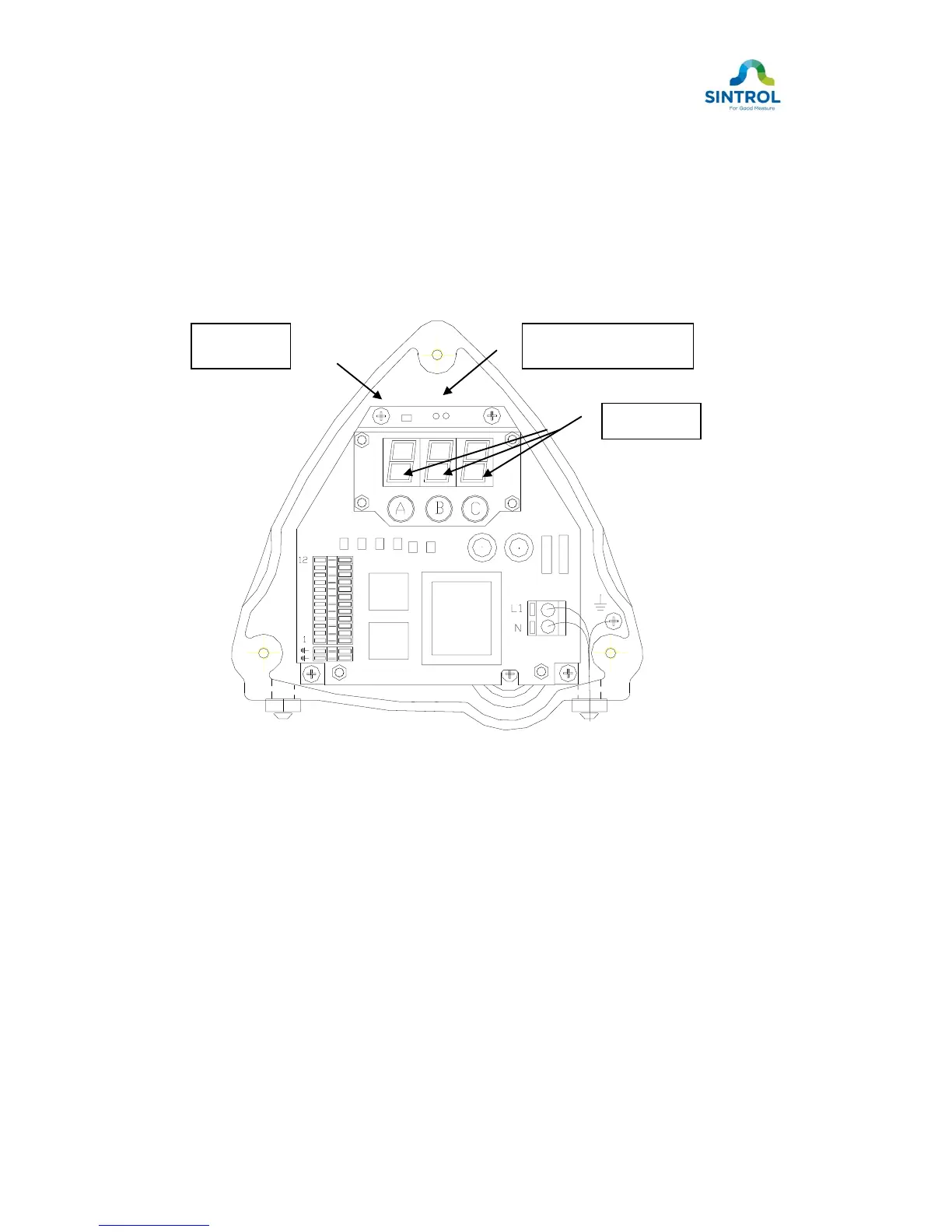
Remove the cover of the monitor. You will see the front panel, display unit and
three parameter adjustment keys. (A, B and C, figure 9). Model S305 it is
needed to feed PIN code before you can change parameters (see chapter 6.2).
Model S304 PIN code is not required.
Figure 9. S300 series Dust Monitor front panel
Press the left key (A), below the display, until the left digit indicates the number
of the parameter you wish to change, 1 … 9, tenth parameter left digit indicator
is 0. eleventh 10. and twelfth is first digit of PIN code = 1. if factory default PIN
code value. The last parameter, – SP (save parameters), saves all the
changes you have made. (See Table 2).
The two rightmost display digits now show the parameter values. By pressing
the middle key (B) and right key (C), the value for each parameter can be
altered as indicated in table 2.


 To Next Page