9 Basic Settings
9.1 Host Name
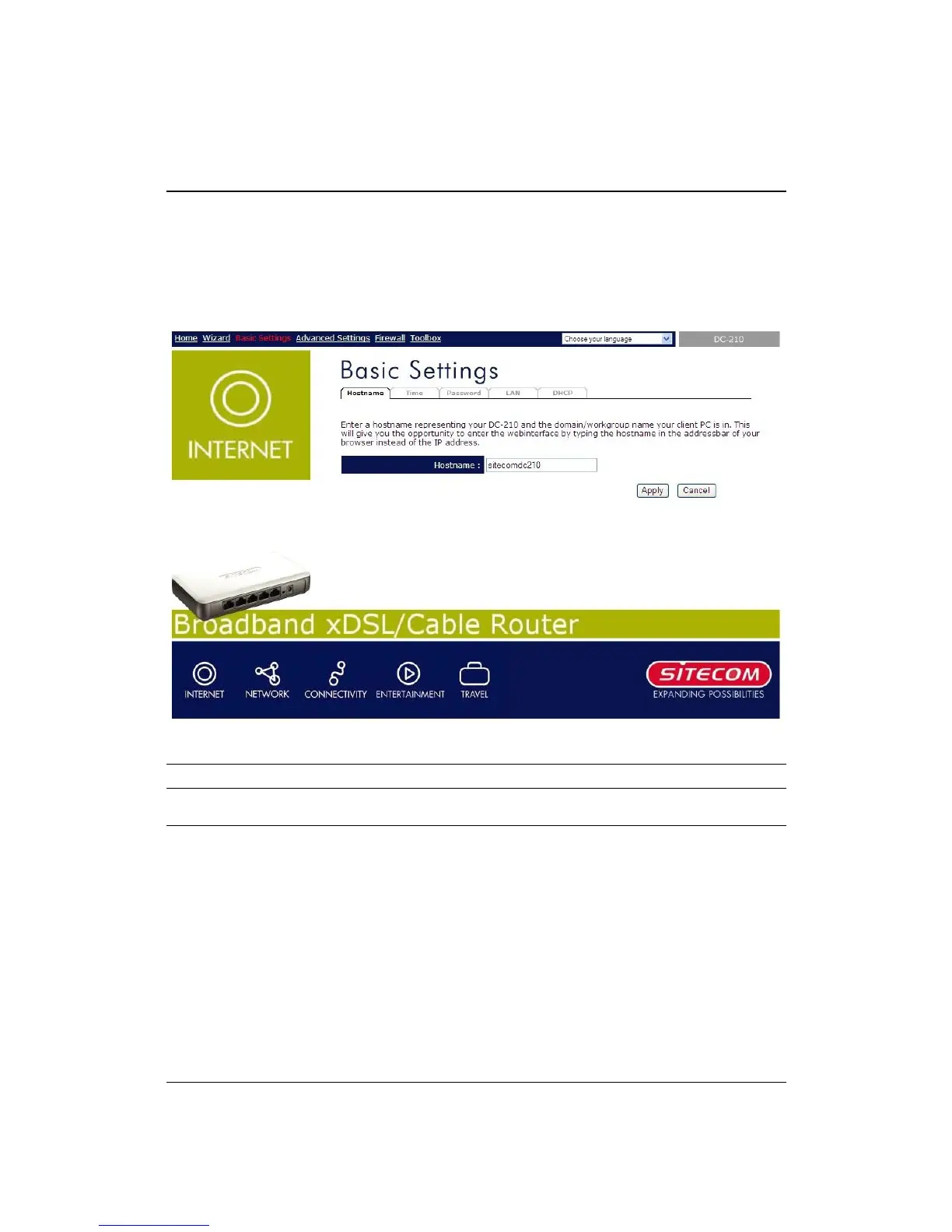
This page allows you to assign Host Name and Domain Name to the router. You can
do web configuration from the LAN by typing the whole name you configured here
except for the IP address.
Parameter Description
Host Name Enter the Host Name of this router.
Click <Apply> at the bottom of the screen to save the above configurations. You
can now configure other advance sections or start using the router (with the advance
settings in place)


 To Next Page