10 Advanced Settings
10.1 Static Routing
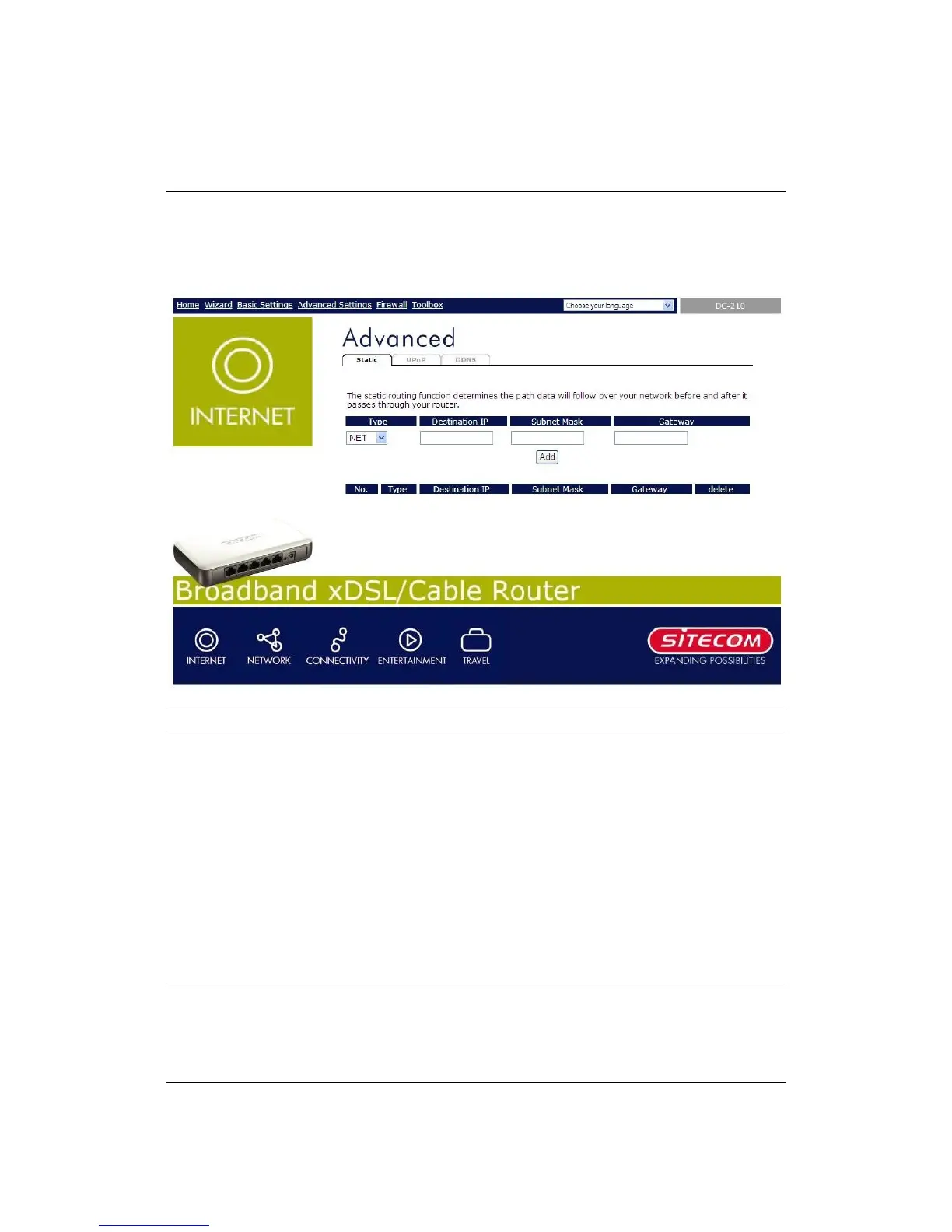
Static Routing allows you to configure the routing table of this router.
Parameters Description
Type
Select NET or HOST. Set HOST if the
destination address is a single HOST.
If the destination address is a subnet, set
NET.
Destination LAN IP
The network IP address of the destination
LAN.
Subnet Mask
The IP subnet mask of the destination LAN.
Gateway
The IP address of the neighbor gateway in
the path toward the destination LAN.
Click <Apply> at the bottom of the screen to save the above configurations. You
can now configure other advance sections or start using the router (with the advance
settings in place)



 To Next Page