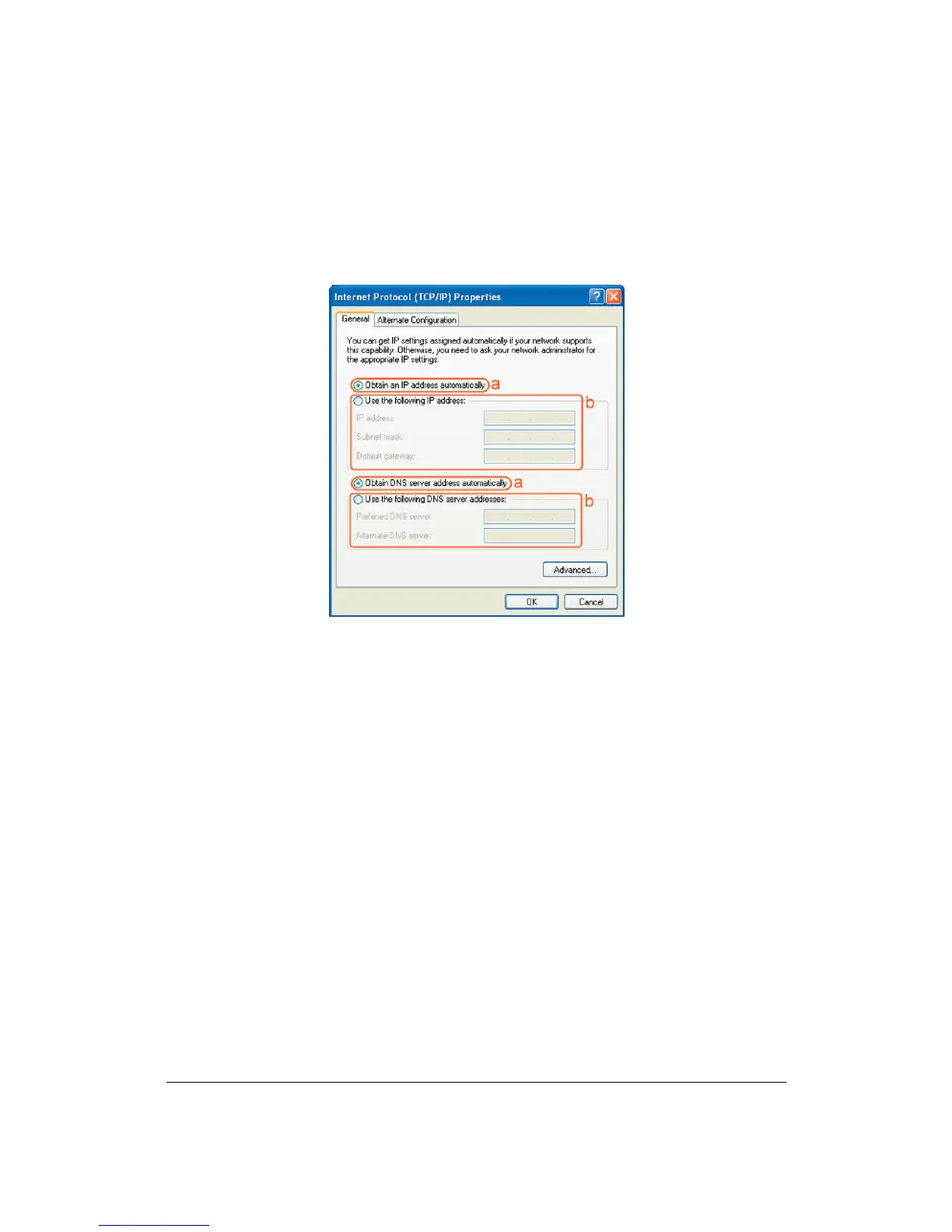
• Select the [General] tab.
The DC-210 supports DHCP function, please select both [Obtain an IP address
automatically] and [Obtain DNS server address automatically].
Windows Vista
1. Click the Windows (Start) button.
2. Right-click with the mouse on ‘Network’, and select ‘Properties’.
3. Click ‘status’ of your network connection, and select ‘Properties’ in the new
window.
4. In User Account Control click ‘continue’.
5. Click ‘Internet Protocol Version 4 (TCP/IPv4)’, then click ‘Properties’.
6. Select ‘Obtain an IP address automatically’.
7. Click OK, then close all windows and restart your PC.


 To Next Page