11.5 DMZ
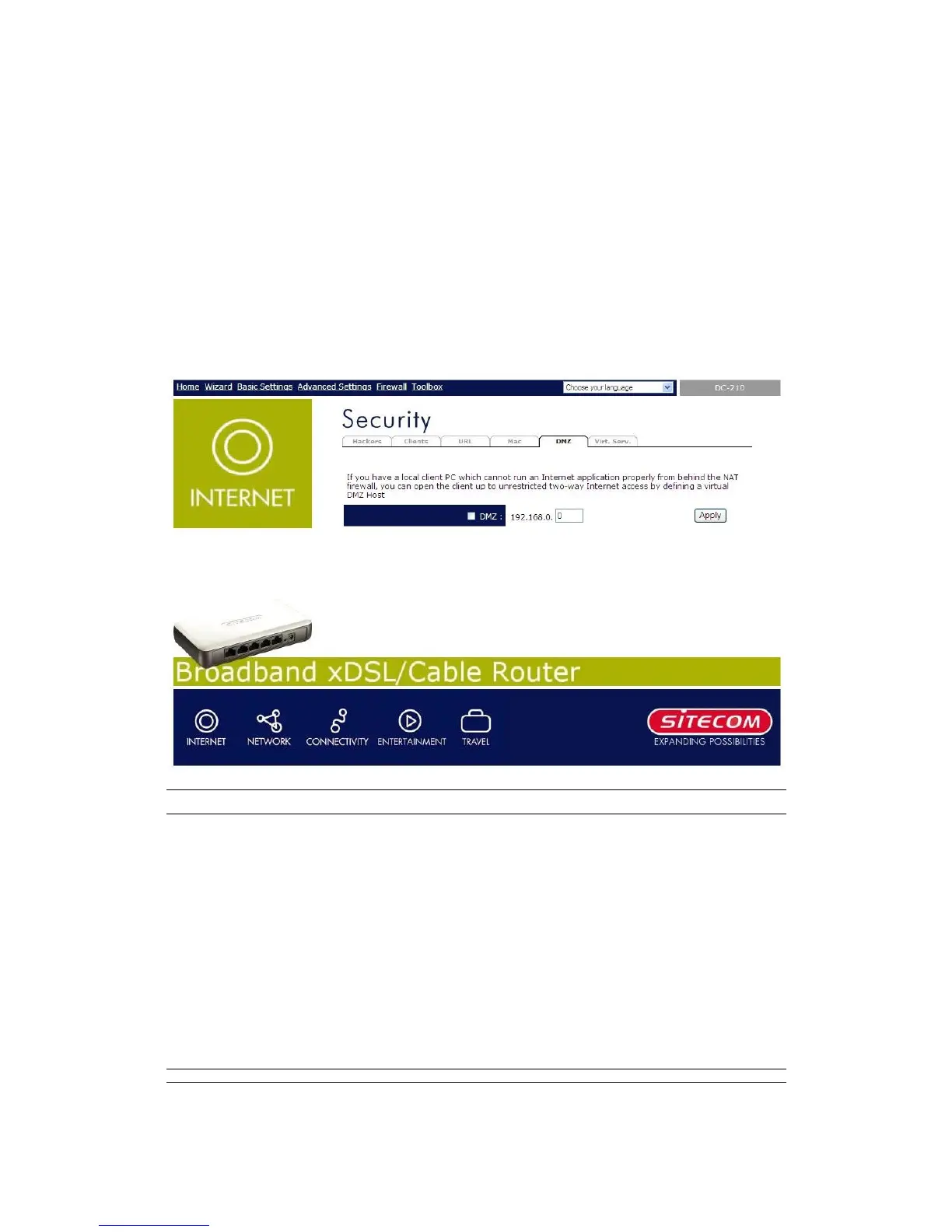
If you have a local client PC that cannot run an Internet application (e.g. Games)
properly from behind the NAT firewall, then you can open the client up to
unrestricted two-way Internet access by defining a DMZ Host. The DMZ function
allows you to re-direct all packets going to your WAN port IP address to a particular
IP address in your LAN. The difference between the virtual server and the DMZ
function is that the virtual server re-directs a particular service/Internet application
(e.g. FTP, websites) to a particular LAN client/server, whereas DMZ re-directs all
packets (regardless of services) going to your WAN IP address to a particular LAN
client/server.
Parameters Description
Enable
You have to check this box to enable the DMZ
function.
Note: If there is a conflict between the Virtual
Server and the DMZ setting, then Virtual Server
function will have priority over the DMZ function.
IP
Input the IP address of a particular host in your
LAN that will receive all the packets originally
going to the WAN port
Note: You need to give your LAN PC clients a
fixed/static IP address for DMZ to work properly.


 To Next Page