Chapter 2 Hardware Installation
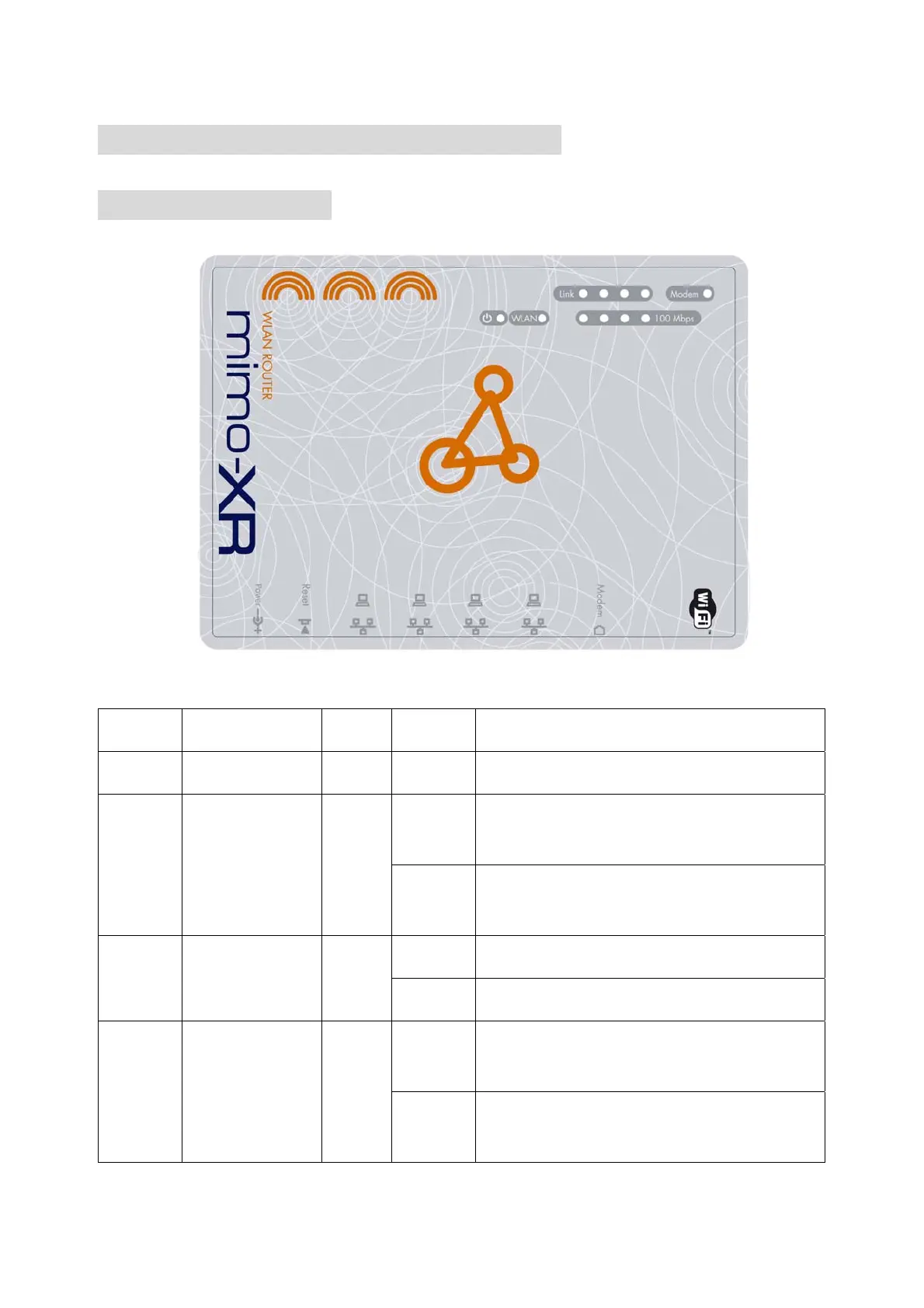
2.1 Panel Layout
LEDs:
LED Function Color Status Description
POWER Power indication Green On Power is being applied to this product.
On
The corresponding WAN or LAN port is
linked.
Link/
Modem
Link Status Green
Blinking
The corresponding WAN or LAN port is
sending or receiving data.
On Wireless LAN had been enabled
WLAN Wireless Activity Green
Blinking Sending or receiving data via wireless.
Blinking
The corresponding WAN or LAN port is
sending or receiving data.
100Mbps
Data Rate
Green
On
Data is transmitting in 100Mbps on the
corresponding LAN port.
7



 To Next Page