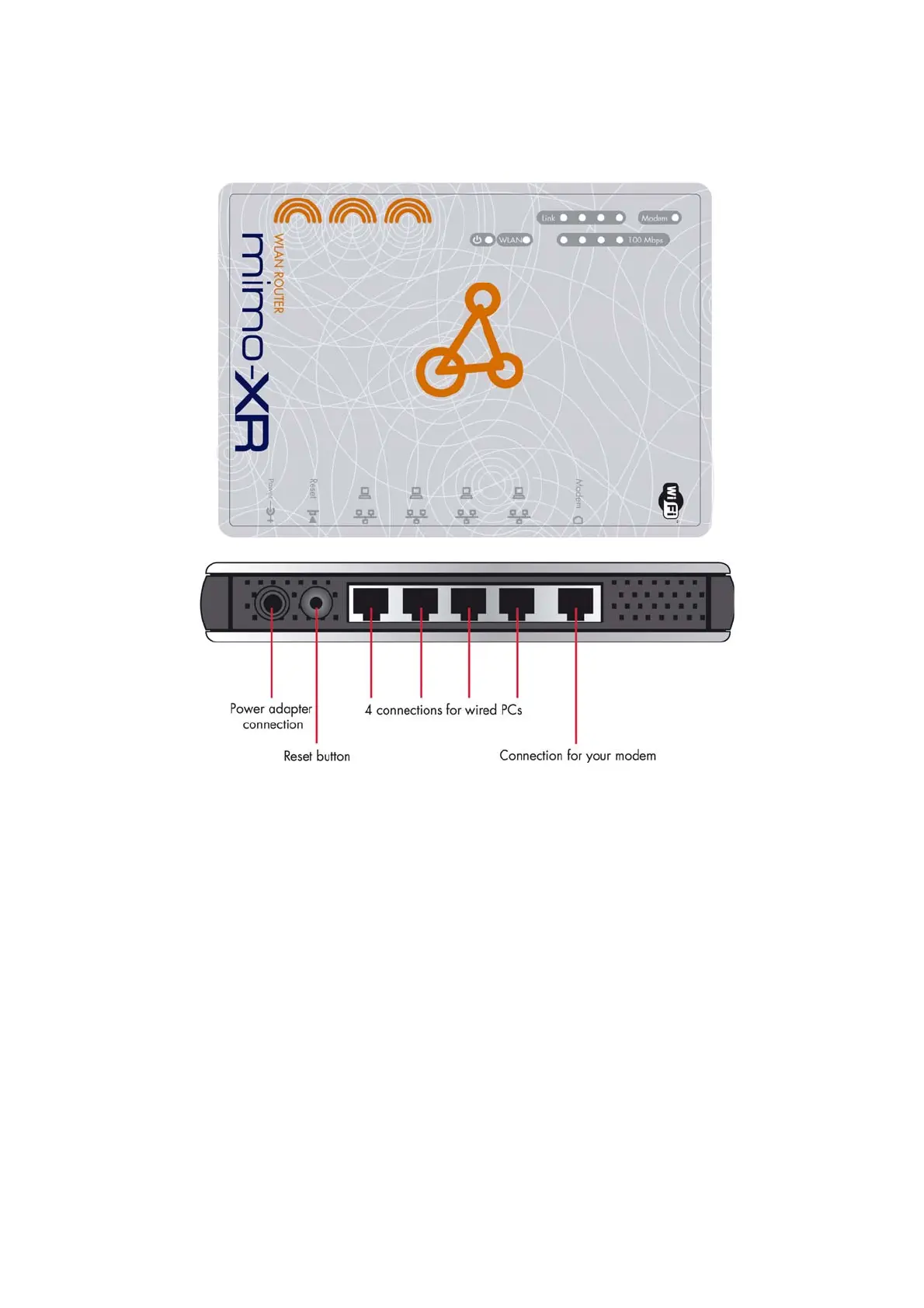
2.1.2. Rear Panel
Ports:
8
Port Description
POWER Power inlet
Modem the port where you will connect your cable (or DSL) modem
or Ethernet router.
Port 1-4 the ports where you will connect networked computers and
other devices.
Reset
To reset system settings to factory defaults, press the reset
button for at least 4 seconds.
To reboot the device, press the reset button less than 4
seconds.



 To Next Page