Wi-Fi Home Cam User Manual
22
Change the date & time
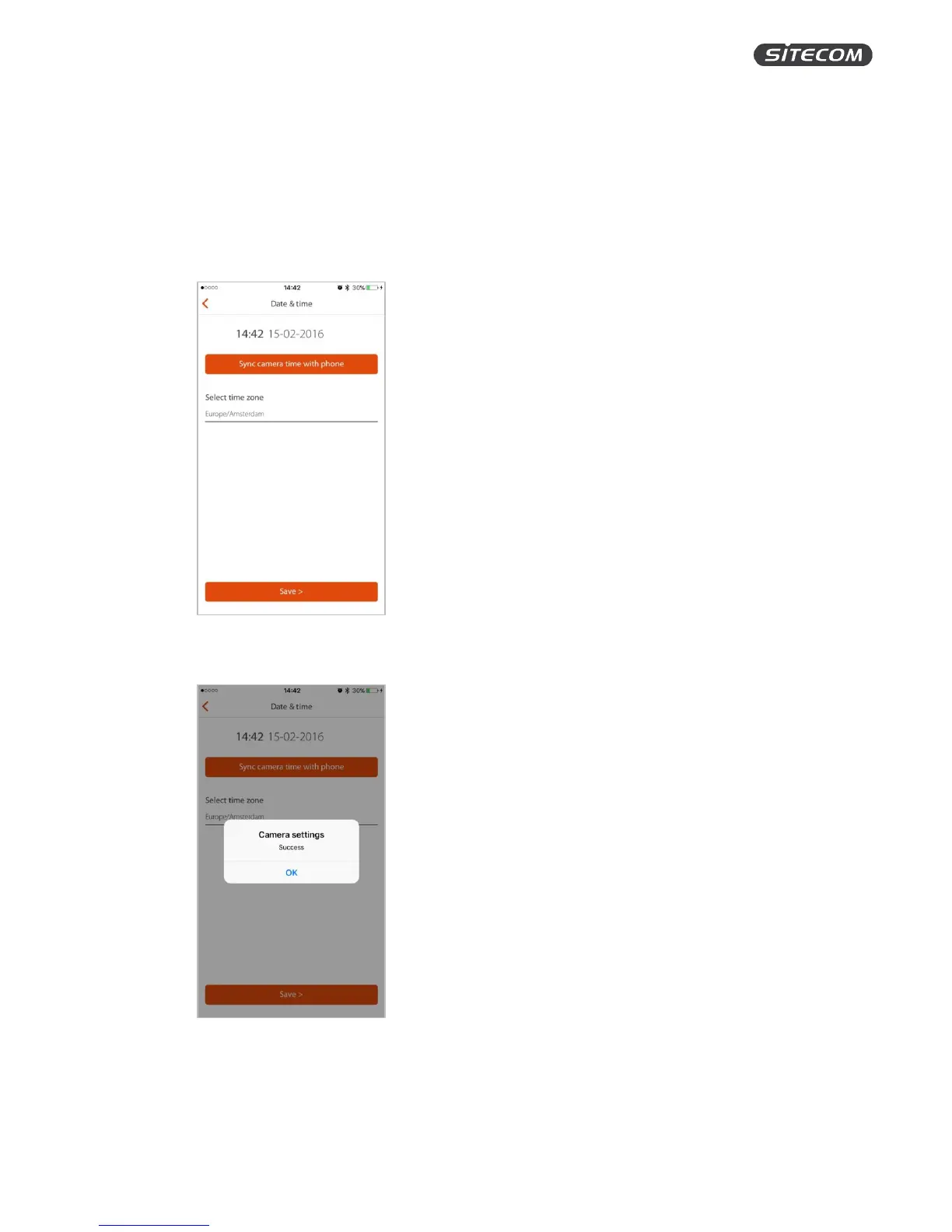
On this screen, you can change the date & time settings. You can either sync your camera with your
phone or set the time zone manually.
Sync date & time automatically
1. Click “Sync camera time with phone” to update the camera time to the time of your phone.
2. After pressing the button, you will get to see a pop-up message telling you if the update
succeeded or failed.
3. Click “Save” to save the changes and go back to the camera overview screen.


 To Next Page