Wi-Fi Home Cam User Manual
25
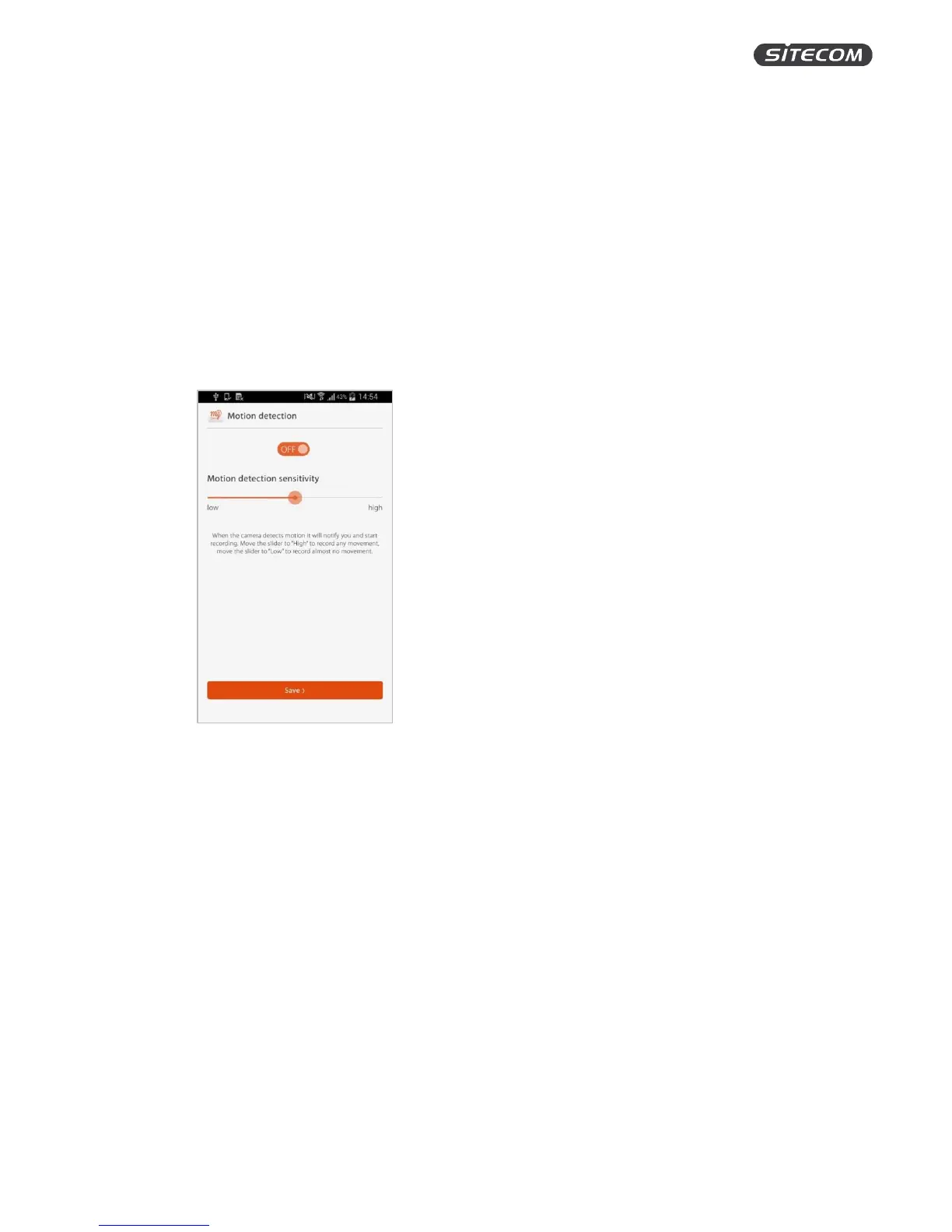
Activate & change the motion detection
On this screen, you can turn the motion detection on and off and adjust the sensitivity.
With motion detection activated, your camera will start recording automatically when it detects
motion. The sensitivity of the motion detection determines when the camera will start recording and
can be adjusted to best fit your home situation.
1. Move the on/off slider to turn motion detection on.
2. Adjust the slider to customize the sensitivity of the motion detection.
Moving the slider to “High” means it will record any movement, moving the slider to “Low”
means it will record almost no movement. We suggest trying out different settings to see
which one works best for you.
3. Click “Save” to save the changes and go back to the camera overview screen.


 To Next Page