Wi-Fi Home Cam User Manual
30
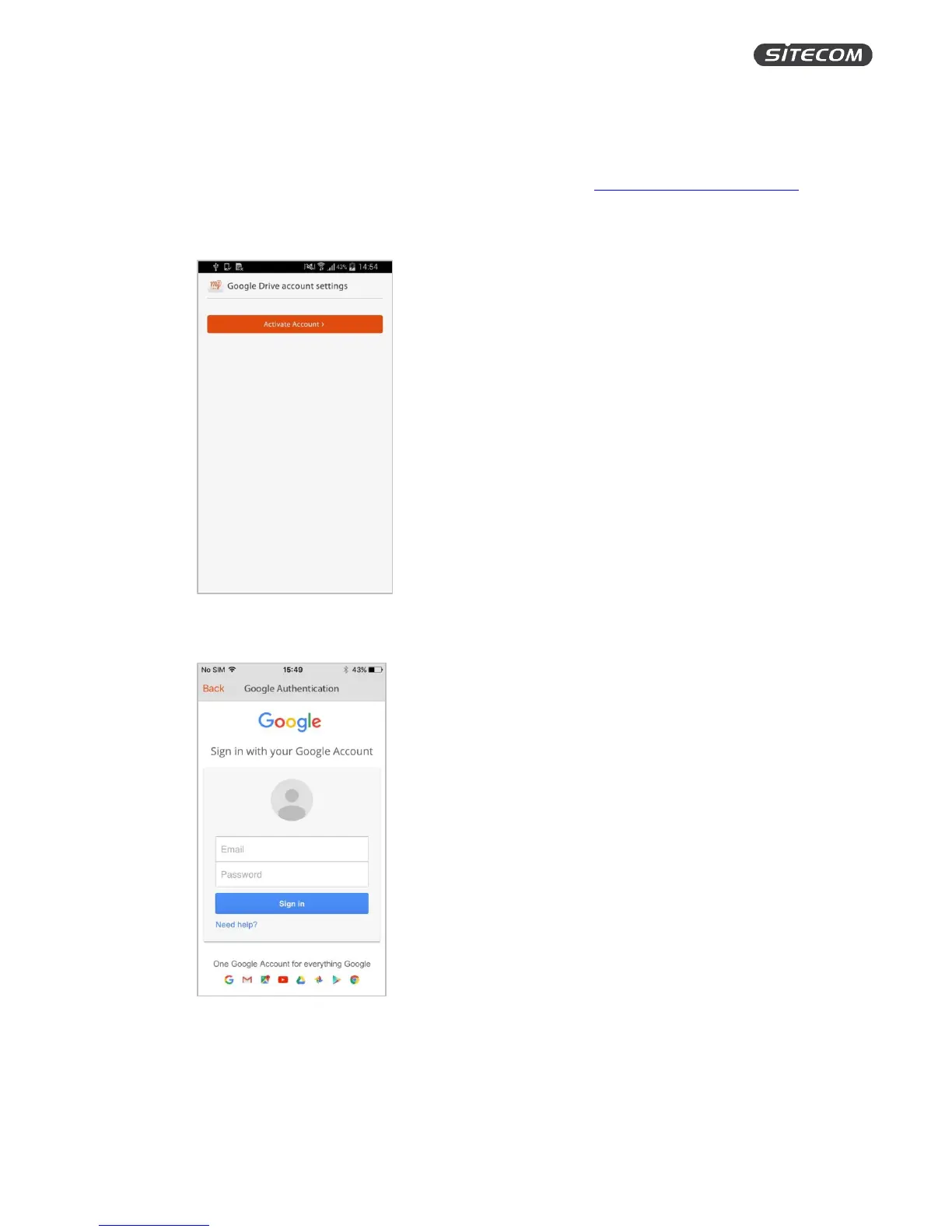
Add a Google Drive account or update it
On this screen, you can link a Gmail account to your MyCam account to back up your recordings into
your personal Google Drive cloud or update the linked Gmail account. If you do not have an account
yet and want to find out more about Google’s storage options, go to https://www.google.com/drive.
1. Click “Activate Account”
2. Sign in with your Google account and click “Allow” on the following screen.
3. When your account was added successfully, you will see your E-Mail address and storage
capacity in the “Google Drive account settings” screen.
4. Click “Change account” link a different Google Drive account to your MyCam account.


 To Next Page